


























































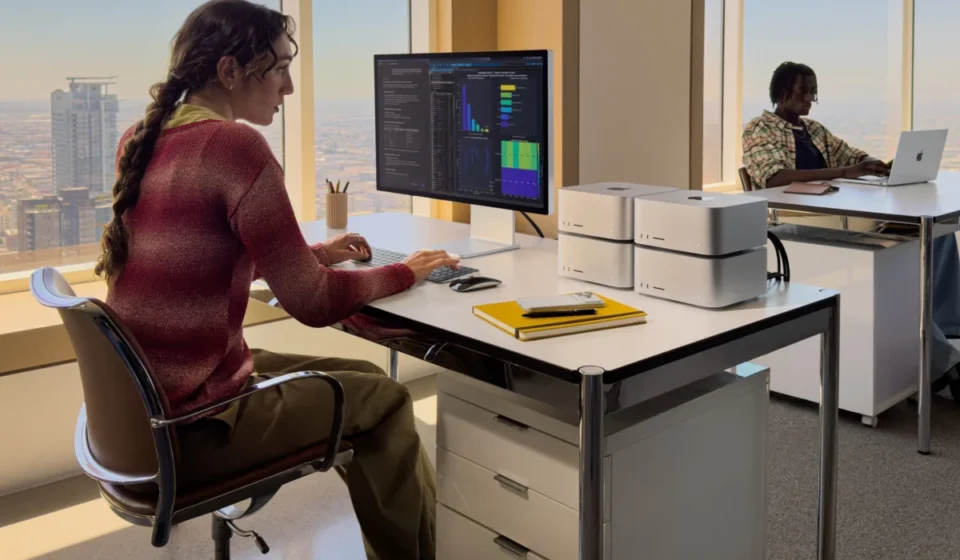

In the landscape of modern computing, where hardware is often viewed as a disposable commodity, Apple’s latest Mac Studio stands as an architectural anomaly. It is a machine that bridges the gap between the compact, user-friendly aesthetic of the original Macintosh and the industrial-grade, high-performance requirements of modern AI development and 8K video production. With the introduction of the M5 Ultra chip, Apple has not merely refreshed a product line; it has set a new benchmark for power-to-watt efficiency.
Main Facts: The Anatomy of a Powerhouse
The M5 Ultra Mac Studio is, by all metrics, a professional-grade instrument. Housed within the iconic 7.7-inch square, 3.7-inch high aluminum chassis, it belies the sheer computational violence occurring within its circuitry.
The base unit—if one can call a $12,299 machine "base"—comes equipped with a 36-core CPU and an 80-core GPU. This architecture is built upon Apple’s proprietary UltraFusion process, a quad-die configuration that allows the system to operate with a unified memory architecture (UMA). By integrating the RAM directly into the silicon, Apple eliminates the latency inherent in traditional motherboard architectures, facilitating instantaneous data transfer between the processor, neural engines, and the storage controller.
Key specifications include:
- Connectivity: Four Thunderbolt 5 ports, two USB-A ports, 10Gb Ethernet, HDMI, and a high-impedance headphone jack.
- Wireless: Wi-Fi 7 and Bluetooth 6 support.
- Display Support: Capability to drive up to eight 6K displays at 60Hz or four Studio Display XDR units.
- Specialized Hardware: Integrated genlock over USB-C, a critical feature for high-end live broadcast and video production environments where precise synchronization with external cameras is mandatory.
Chronology: The Evolution of the Studio Line
To understand the magnitude of the M5 Ultra’s arrival, one must look at the trajectory of Apple’s silicon journey. When Apple transitioned away from Intel processors, the initial M1 Ultra was considered a disruptive force, proving that ARM-based architecture could compete with high-end desktop workstations.
The subsequent M3 Ultra consolidated these gains, focusing on thermal efficiency and GPU throughput. The transition from M3 to M5 represents a leap in neural processing. While the M3 Ultra was a capable machine, the M5 Ultra has been specifically engineered to address the exploding demand for on-premises AI model training and inferencing. The progression is stark: Apple internal metrics suggest the M5 Ultra is approximately 4.3 times faster in AI-specific tasks than its predecessor and nearly ten times faster than the original M1 Ultra. This timeline illustrates a deliberate, iterative strategy: prioritize the "Neural Engine" to ensure the Mac remains the primary workstation for developers training Large Language Models (LLMs).
Supporting Data: Benchmarks and Throughput
In professional workflows, "fast" is a subjective term; data is not. Testing the M5 Ultra reveals a machine that operates at the limits of current hardware capabilities.
Storage Performance
The integration of a new, high-speed storage controller paired with the latest NAND memory has resulted in a doubling of read/write speeds compared to the previous generation. In Blackmagic’s Disk Speed Test, the system recorded 13,941 MB/s in write speeds and 11,350 MB/s in read speeds. These figures are not just impressive; they are transformative for editors working with uncompressed 8K RAW footage, as they eliminate the need for proxy files or intermediate transcoding.
Computational Power
The M5 Ultra’s capacity to handle up to 33 simultaneous streams of 8K ProRes video is a testament to the four dedicated ProRes accelerators embedded in the SoC. When benchmarked, the performance delta between the M1 and M5 is not incremental—it is foundational. Whether in Cinebench or Geekbench 7, the M5 Ultra consistently posts scores that place it in a category of its own, particularly regarding multi-threaded rendering and machine learning workloads.
Official Responses and Industry Context
The absence of user-serviceable RAM and SSDs remains the most significant point of contention among the "pro" demographic. Critics argue that at a five-figure price point, the inability to upgrade memory is a regressive step that creates planned obsolescence.
Apple’s stance, provided in technical briefings, remains steadfast: the unified memory architecture is the reason for the performance, not a limitation. By soldering the RAM directly to the processor, Apple achieves bandwidth speeds that would be impossible with traditional DIMM slots. To allow user-serviceable memory would be to fundamentally degrade the system’s ability to communicate between the GPU and the CPU.
Regarding the lack of included peripherals, the company notes that their target demographic—video editors, AI engineers, and data scientists—possess specific, high-end requirements for input devices. Including a standard mouse and keyboard would be, in their view, an exercise in e-waste.
Implications for the Future of Professional Computing
The M5 Ultra Mac Studio represents a "bicycle for the mind," but for a very specific type of mind. It is a machine for the enterprise, the studio, and the researcher.
The AI Imperative
Perhaps the most significant implication is the shift toward "on-premises" AI. As data privacy concerns rise, enterprises are increasingly moving away from cloud-based AI processing. The Mac Studio provides a secure, localized environment where developers can run LM Studio and train proprietary models without risking data leakage. The M5 Ultra is essentially a private AI server in an eight-inch box.
The "Headless" Paradigm
The rise of the "headless" setup—where the Mac Studio is tucked into a rack or under a desk, accessed via VNC or remote management software—highlights a shift in how pros view their workstations. It is no longer just a computer; it is a node in a professional ecosystem. Users are finding that they can perform intensive coding on a MacBook Air while the Mac Studio does the "heavy lifting" of rendering or AI inference in the background, communicating seamlessly over a local network.
Value vs. Necessity
The critical question remains: is it worth the $12,299 investment? For the independent content creator, the answer is likely no. The M3 Ultra remains an incredibly capable machine that handles 99% of professional tasks with ease. However, for the production house needing to shave hours off a render or the engineer needing to iterate on an AI model in real-time, the M5 Ultra is not a luxury—it is a force multiplier.
The Mac Studio has transcended the "computer" label. It is a specialized, high-performance data appliance that leverages Apple’s vertical integration to achieve results that traditional, power-hungry PC architectures struggle to match at the same thermal envelope. While the price tag is undeniably steep, the machine delivers a level of performance that fundamentally alters the ceiling of what is possible on a desktop. It is, in every sense of the word, a god-tier machine for a generation that demands nothing less than absolute, uncompromising efficiency.