



















































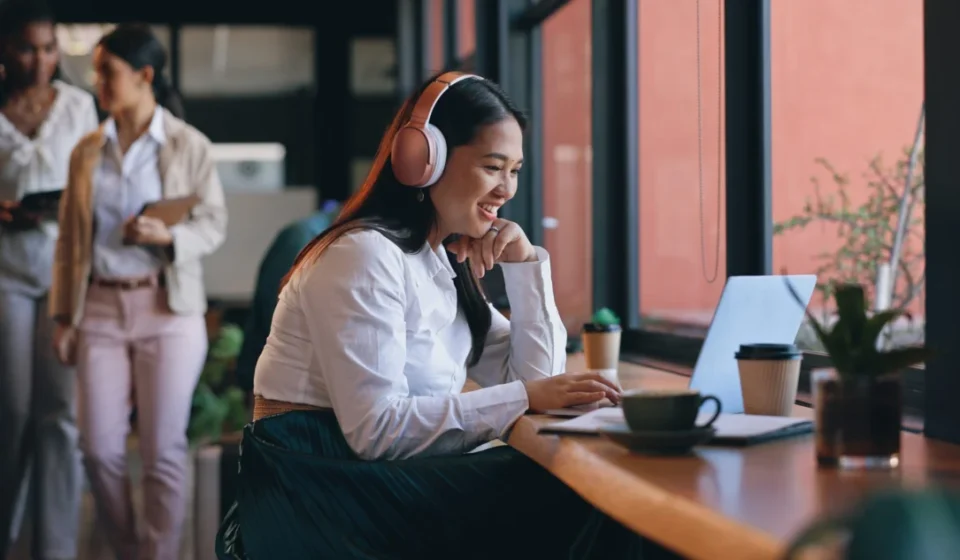

For the better part of two decades, the corporate laptop was a sedentary creature. It lived on a docking station, tethered to a dedicated desk, shielded from the elements of the outside world, and moved only when a worker transitioned between departments or relocated to a different office suite. That era has definitively ended.
Today, the modern workstation is no longer a physical location—it is wherever the employee happens to be. With 78% of the workforce now operating in fully or partially remote capacities, as indicated by Gallup, the physical demands placed on enterprise hardware have shifted dramatically. A laptop designed for the sterile, predictable environment of a cubicle is ill-equipped for the rigors of the "anywhere office." For small and medium-sized businesses (SMBs), the stakes for hardware procurement have never been higher.
The New Reality: Longevity and the AI Shift
The transition to hybrid work is occurring simultaneously with a significant shift in enterprise budgeting and technological capability. According to recent forecasts from Gartner, businesses are holding onto their computing assets approximately 15% longer than in previous years. This extension of the hardware lifecycle is driven by a dual-pressure environment: rising costs for raw materials and components, and a strategic shift toward sustainability.
However, this longer lifecycle creates a paradox. While businesses need devices to last longer, they are also entering an era of unprecedented computational demand. Gartner projects that AI-enabled PCs will represent more than 31% of the global market by the end of 2025, and this trend is accelerating toward a majority share by 2026.
This means the "standard" business laptop must now bridge the gap between two competing requirements: the durability to survive three to four years of transit, and the processing power required to run local, resource-intensive AI models. For an SMB, a bad hardware decision today isn’t just an IT headache—it is a three-year anchor on productivity.
A Chronology of the Hybrid Transition
To understand why current procurement strategies are failing, one must look at the rapid evolution of the professional workspace:
- 2000–2019 (The Stationary Era): Laptops were secondary to the desktop experience. Durability was measured by thermal management under constant AC power.
- 2020 (The Forced Pivot): The sudden shift to remote work saw companies scrambling to purchase "whatever was available." Many SMBs suffered as consumer-grade hardware failed under the stress of 24/7 video conferencing and daily transit.
- 2023–2024 (The Optimization Phase): Businesses began to realize that the "stopgap" devices purchased during the pandemic were failing at higher rates. IT managers began prioritizing specialized business hardware over consumer aesthetics.
- 2025–2026 (The AI-Mobile Integration): We are currently witnessing the convergence of high-performance NPU (Neural Processing Unit) requirements and the need for "ultra-mobile" form factors. The market is currently consolidating around devices that can handle heavy AI workloads without requiring a cooling fan that sounds like a jet engine or a battery that dies before lunch.
The Five Pillars of Modern Hardware Evaluation
For SMB owners and IT procurement officers, the "check-the-box" approach to buying laptops is obsolete. To future-proof their operations, leaders must evaluate potential hardware against five non-negotiable criteria:
1. Durability and Material Science
The modern laptop faces "commuter stress"—pressure in bags, temperature fluctuations, and accidental drops. The industry has shifted away from brittle plastics toward magnesium-aluminum alloys. These materials offer the rigidity of metal with the weight profile of plastic, protecting sensitive internal components like motherboards and SSDs from the torque of daily transport.
2. The Battery Lifecycle
The "battery life" advertised on a spec sheet is often a laboratory fiction. SMBs must look for real-world metrics. In a hybrid world, a laptop that requires a charger by 2:00 PM is a liability. Modern standards now demand at least 20 hours of real-world usage, complemented by rapid-charging technology that can replenish 50% of the battery in under 30 minutes.
3. Port Quality and Connectivity
The "dongle life" is a productivity killer. A professional laptop must have a robust selection of ports—HDMI for presentations, USB-C/Thunderbolt for high-speed data transfer, and standard USB-A for legacy peripherals. The structural integrity of these ports is just as important; loose ports are the number one point of physical failure in mobile laptops.
4. Display Comfort and Ergonomics
Workers are spending more time on screens than ever before. Anti-glare coatings, high-nit brightness levels for outdoor or brightly lit environments, and blue-light filtration are no longer "premium" features; they are essential health and safety considerations that prevent eye strain and maintain long-term worker comfort.
5. Thermal and Computational Performance
AI workloads generate heat. If a laptop cannot effectively dissipate heat, it will throttle its performance, leading to the dreaded "spinning wheel of death" during critical tasks. Selecting hardware with advanced thermal management is a prerequisite for running the next generation of AI-driven business software.
The ExpertBook Ultra: A Case Study in Hybrid Design
The ASUS ExpertBook Ultra stands as a prime example of how these five pillars can be synthesized into a single device. By utilizing a magnesium-aluminum chassis, the device achieves a "military-grade" durability rating without sacrificing portability.
The internal architecture is specifically tuned for the modern professional. By integrating the Intel® Core™ Series 3 processor, the ExpertBook Ultra balances the power required for AI applications with the power efficiency needed to achieve its class-leading 26-hour battery life. This is a critical distinction: it allows an employee to work from a coffee shop, a train, or a remote office without the "low battery anxiety" that plagues most mobile professionals.
For the SMB owner, this isn’t just about a "better laptop"—it’s about business continuity. When hardware is designed to withstand the physical realities of modern work, the internal IT support burden drops significantly.
Implications for SMB Strategy
The shift toward "mobile-by-default" is not a temporary trend; it is the new baseline for global business. SMBs that fail to adapt their hardware procurement strategies risk being left behind in two specific ways:
First, there is the Direct Cost of Failure. The cost of replacing a broken device, including the lost productivity of the employee and the time spent by IT to migrate data to a new machine, often exceeds the initial price difference between a budget laptop and a premium business-grade machine.
Second, there is the Strategic AI Disadvantage. As enterprise software increasingly relies on on-device AI—for transcription, real-time data analysis, and predictive workflows—employees using older or underpowered hardware will simply be unable to run the tools their competitors are using.
Conclusion: The Strategic Pivot
In the past, a laptop was an expense. Today, it is a strategic asset. Small businesses that prioritize durability, mobility, and computational overhead in their next hardware cycle will find themselves with a more resilient, efficient, and satisfied workforce.
As we look toward the remainder of 2026, the question for business leaders should not be "How much can I save on this laptop?" but rather "How much will this laptop contribute to the mobility and capability of my team?"
By focusing on devices engineered for the modern, hybrid reality—such as the ASUS ExpertBook Ultra—SMBs can ensure that their hardware is not a barrier to growth, but a catalyst for it. The future of work is mobile, and the hardware that powers it must be just as agile as the teams that use it.
For more information on selecting the right hardware for your business, visit ASUS ExpertBook Ultra.