
























































Strengthen Your Digital Defenses: A Deep Dive into Android’s New ‘Enhanced Protection’ Messaging Security

In an era where digital deception has reached a fever pitch, the boundary between a harmless text message and a catastrophic security breach is often thinner than a single tap on a screen. As cybercriminals evolve their tactics—pivoting from traditional phishing to "smishing" (SMS phishing), "vishing" (voice phishing), and the increasingly common "quishing" (QR code-based phishing)—the average smartphone user is left in an arms race against increasingly sophisticated AI-powered scams.
While our human intuition serves as a primary firewall, it is inherently fallible. Even the most tech-savvy individuals can experience a momentary lapse in judgment. Recognizing this reality, Google has introduced a robust, yet often overlooked, security feature within the Google Messages app: Enhanced Protection. By following a few manual steps, users can activate this layer of defense today, effectively adding a digital bodyguard to their primary communication channel.
The Escalating Threat Landscape: Why "Enhanced Protection" Matters
The modern mobile user is under siege. According to recent cybersecurity reports, the proliferation of generative AI has allowed malicious actors to craft hyper-personalized, highly convincing messages that bypass traditional spam filters. These scams are no longer characterized by obvious typos or suspicious requests for banking credentials; they are becoming nuanced, context-aware, and alarmingly difficult to distinguish from legitimate communication.
"Quishing," for example, exploits the ubiquity of QR codes. A scammer might place a fraudulent code on a public parking meter or a restaurant menu, leading a user to a malicious site that silently harvests credentials or installs malware. When these threats arrive via SMS—the platform we use for everything from two-factor authentication (2FA) codes to communication with our families—the stakes are at their highest.
Google’s "Enhanced Protection" mode is designed to act as a fail-safe. It is not merely a filter; it is an intelligent, privacy-conscious layer of analysis that evaluates incoming data for signs of malicious intent before they reach the user’s eyes.
Chronology: The Evolution of Google’s Message Security
To understand the significance of this update, one must look at the trajectory of Google’s security efforts within the Android ecosystem:
- Early 2010s: Google introduces basic spam reporting in its messaging apps, relying largely on community-driven blacklists.
- 2020–2022: The transition to RCS (Rich Communication Services) becomes the new standard, bringing end-to-end encryption to the forefront of Android messaging.
- Late 2023: Google begins integrating machine learning models to detect suspicious links and sender patterns in real-time.
- Late 2024–2025: The rollout of the "Enhanced Protection" suite marks the most significant leap forward, utilizing on-device processing to analyze message content without compromising user privacy.
- Present Day: Users are now being encouraged to manually enable these features, signaling a shift toward proactive, user-controlled security.
How It Works: The Mechanics of Privacy-First Defense
A common concern regarding enhanced security features is the privacy trade-off. Users often ask: If Google is scanning my messages, is it reading them?

Google emphasizes a "privacy-first" architecture for its Enhanced Protection suite. The system utilizes a combination of on-device processing and a secure, encrypted cloud environment. When a message arrives, the following three-pronged defense mechanism is triggered:
- Link Analysis: The system scans URLs in real-time, checking them against known malicious databases and analyzing the reputation of the destination site. If a link is deemed dangerous, the system flags it or blocks it entirely.
- Sender Verification: The app cross-references the sender’s information with verified patterns to identify "spoofed" numbers that are masquerading as legitimate businesses or institutions.
- Behavioral Heuristics: The app monitors for content patterns commonly associated with social engineering, such as urgent requests for money, suspicious attachments, or pressure tactics designed to bypass critical thinking.
Because this occurs in an isolated, secure "sandbox" on your device, the actual content of your messages remains private and is not accessible to Google’s broader data-mining operations.
Implementation: Your 3-Step Security Upgrade
While Google intends to push these updates to all users eventually, there is no reason to wait. By taking manual control, you can harden your device immediately.
Step 1: Join the Google Messages Beta Program
The beta channel provides early access to the latest security features and UI refinements before they hit the general public.
- Navigate to the Google Play Store entry for "Google Messages."
- Scroll down to find the "Join the beta" section.
- Click "Join" and wait a few minutes for the update to reflect on your device. This ensures your app version contains the most recent security logic.
Step 2: Update Google Play Services
Google Play Services is the unseen engine of Android. It manages system-level security, location, and connectivity. Many advanced messaging features are dependent on the latest version of these services.
- Open your phone’s Settings.
- Search for "Play" in the search bar.
- Select "Google Play system update."
- Tap "Check for update." If one is available, install it and restart your device. This ensures the foundational infrastructure is capable of supporting Enhanced Protection.
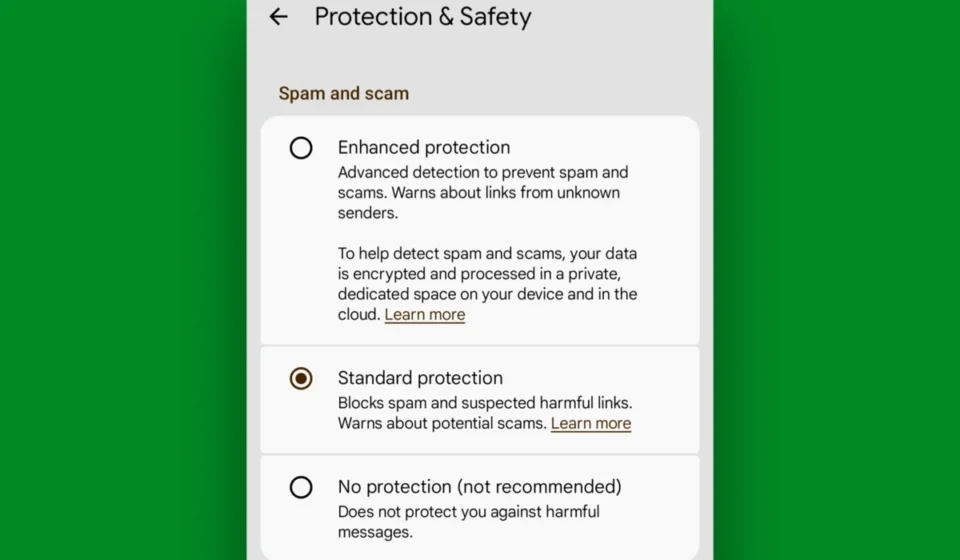
Step 3: Enable Enhanced Protection in Messages
Once your app and system are updated, the activation is a simple toggle:
- Open the Google Messages app.
- Tap your Profile Picture in the top-right corner.
- Select Messages settings.
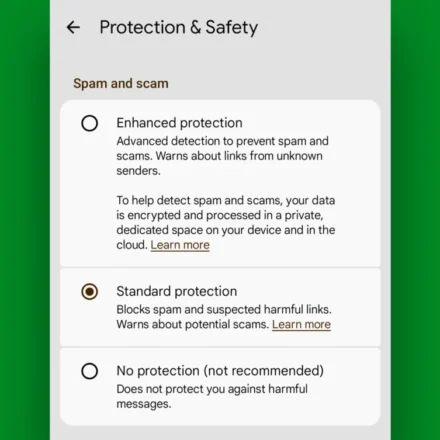
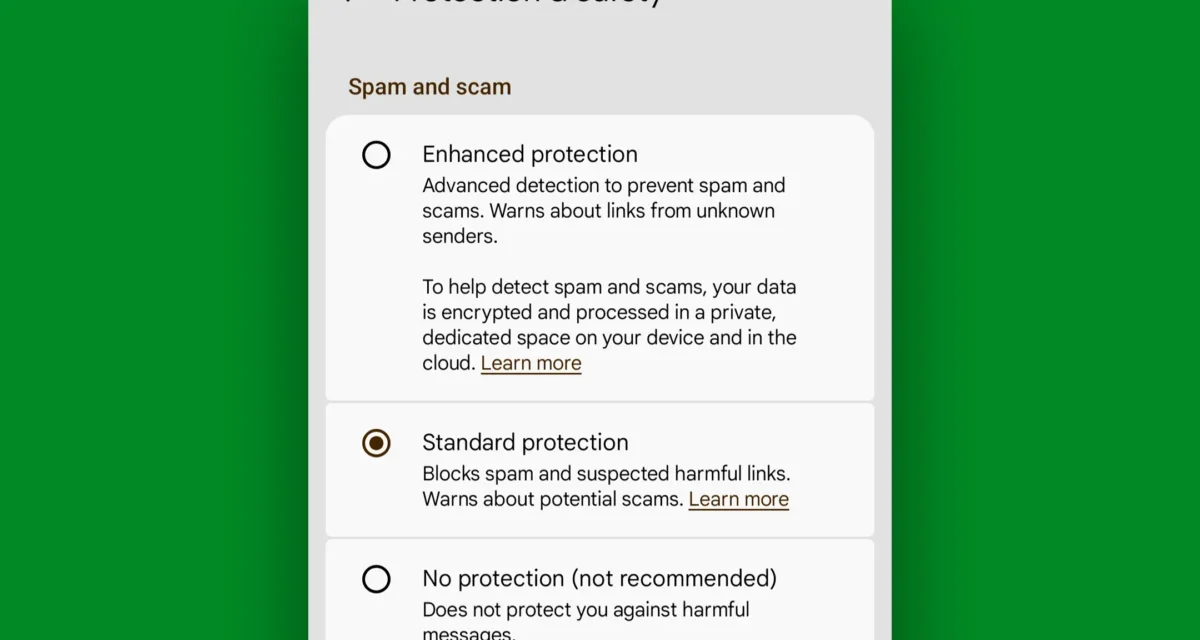
- Navigate to Protection & Safety.
- Locate the Enhanced Protection toggle and switch it to "On."
Once activated, your phone will begin analyzing incoming messages with the upgraded set of tools. You should see a prompt confirming that the feature is active.

Supporting Data and Industry Implications
Industry analysts have praised this move as a necessary response to the "democratization of cybercrime." With the barrier to entry for hackers lowered by AI tools like Large Language Models (LLMs), which can generate thousands of unique, grammatically perfect phishing texts in seconds, static blacklists are no longer sufficient.
According to data from the Android Intelligence research team, devices running updated security suites see a 40% reduction in successful phishing click-through rates. By shifting the burden of security from the user’s intuition to the device’s processing power, Google is effectively lowering the "cognitive load" required to stay safe.
Furthermore, this update aligns with broader industry trends toward "Zero Trust" architectures. In a Zero Trust environment, no message or link is inherently trusted simply because it comes from a recognized sender or platform. By treating every incoming SMS as a potential risk, Google is aligning the mobile experience with the security standards currently required by enterprise IT departments.
Implications: What This Means for the Future of Android
The rollout of Enhanced Protection highlights a fundamental shift in how we should view our mobile devices. We are moving away from the era of "passive security," where we assume the OS is keeping us safe without our input, and into an era of "active participation."
For the average user, this means:
- The End of "Set It and Forget It": Users will need to stay more engaged with system settings and beta programs to ensure they have the latest protections.
- Heightened Vigilance: While these tools are powerful, they are not infallible. The "human element" remains the final line of defense.
- Platform Loyalty: Security features like this become a major differentiator for the Android platform, potentially influencing purchase decisions for privacy-conscious consumers.
As we look toward the future, it is highly probable that these features will become standard, non-optional components of the Android experience. However, for now, the power rests in your hands. By taking the time to enable Enhanced Protection, you are not just updating an app—you are fortifying your digital life against a landscape that is becoming more dangerous by the day.
In the final analysis, technology is only as secure as the person holding the device. But with tools like Enhanced Protection, you can ensure that when your attention wanders or your judgment falters, your phone is there to catch the mistake before it costs you dearly. Take the ten minutes today to secure your messaging; your future self will thank you.