




























































In the rapidly evolving landscape of generative AI, a persistent friction has emerged for business professionals: the disconnect between the conversational interface of a chatbot and the structured requirement of a formal document. Users often find themselves caught in a cycle of generating text, copying it to a clipboard, pasting it into a word processor, and manually refining the formatting.
Microsoft has addressed this workflow bottleneck with the introduction of "Copilot Pages" within the Microsoft 365 (M365) Copilot app. By introducing a persistent, split-screen canvas that functions as a dynamic workspace, Microsoft is effectively transforming the AI experience from a fleeting chat interaction into a collaborative document creation engine.

The Evolution of AI Workflows: Main Facts
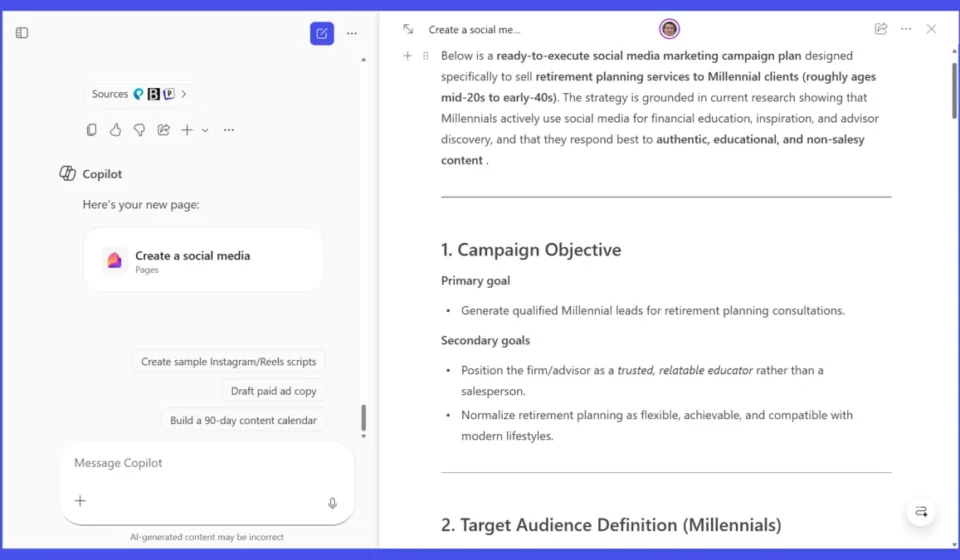
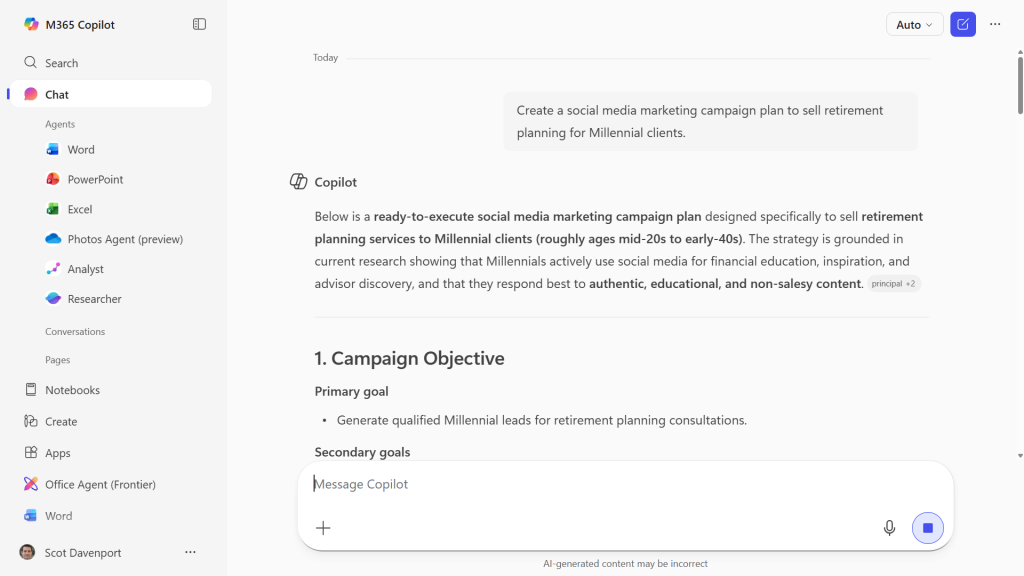
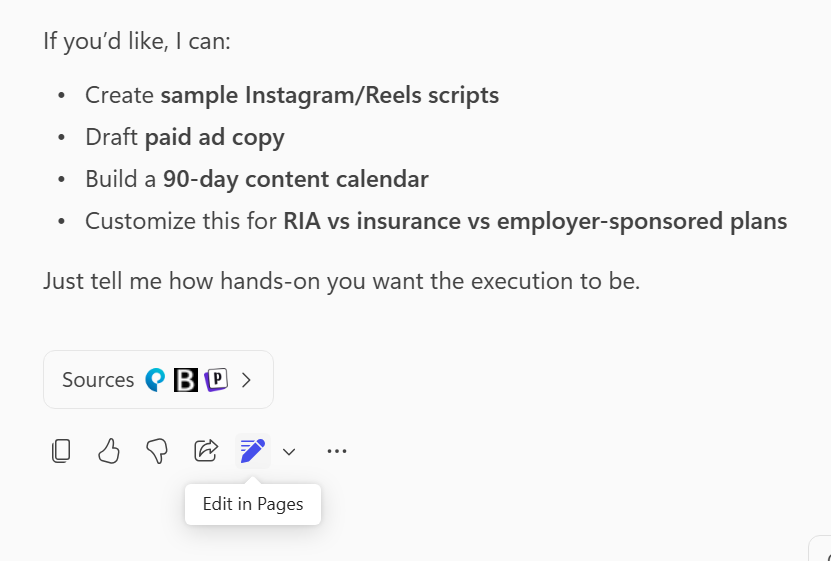
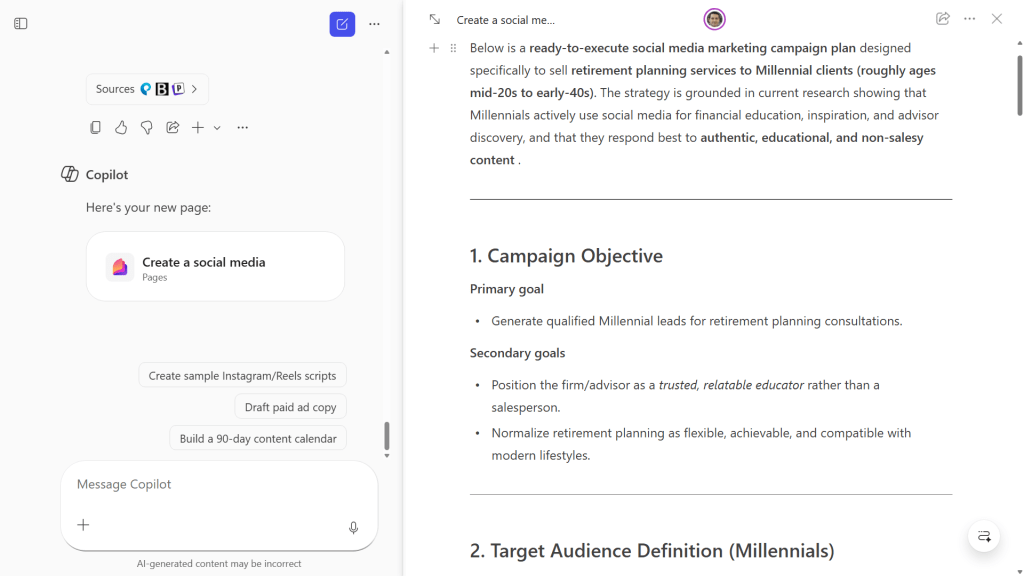
At its core, Copilot Pages represents a shift from "chat-as-a-service" to "co-authoring-as-a-service." When a user interacts with the M365 Copilot app, the interface now allows for a seamless transition. By clicking the "Edit in Pages" icon—represented by a pencil—at the bottom of a generated response, the interface bifurcates. The left side remains a dedicated Copilot chat window, while the right side transforms into a "Page," a living document canvas that holds the AI’s output.
This design choice is intentional. It solves the "torn instinct" problem: users no longer have to choose between querying the AI for more data or manually editing the existing text. They can now do both simultaneously. Unlike a static transcript, a Page is a persistent object within the Microsoft ecosystem, accessible via the M365 library, and capable of being shared, embedded, or exported.
Chronology of the Interface Shift
The trajectory of Microsoft’s AI implementation has moved steadily toward deeper integration. Initially, Copilot functioned primarily as a sidecar—a tool that would generate content within the context of an existing application like Word or Outlook.
- The Chat-First Era: Early versions of Copilot relied heavily on the chat interface. Users would prompt, receive, and copy-paste.
- The Introduction of Loop Components: Microsoft began embedding AI capabilities into their "Loop" technology, allowing blocks of content to be synchronized across apps.
- The Launch of Pages: The current iteration, Pages, acts as the nexus for these technologies. It provides a central, dedicated workspace where users can curate, edit, and refine AI-generated content before pushing it to final production tools like Word or Outlook.
By centralizing these functions, Microsoft has streamlined the transition from a brainstormed concept to a polished business document.
Supporting Data and Accessibility
A key differentiator for Copilot Pages is its accessibility across the Microsoft 365 user base. Unlike advanced Copilot features that often require a premium "Copilot for Microsoft 365" add-on license, the core functionality of Pages is available to a broader swath of enterprise users with standard Microsoft 365 plans.
This democratization of the tool is critical for organizational adoption. Because Pages functions as a collaborative space, it allows teams to interact with AI-driven content even if not every member of the department has the same level of licensing.
Furthermore, the "Pages" feature is distinct from the free version of Copilot available to non-M365 users. While the free consumer version offers a basic version of the tool, the M365 version includes deep hooks into the Microsoft Graph, allowing for more contextual awareness and integration with organizational assets.
The Mechanics of Creation: A Step-by-Step Guide
Creating and managing a page is designed to be intuitive for those already familiar with the Microsoft 365 suite.
Getting Started
To launch a Page, a user navigates to microsoft365.com. Upon entering a prompt, the user receives an initial output. Beneath this output, the "Edit in Pages" icon serves as the catalyst. Once clicked, the split-screen view initiates. The user is then prompted to provide a title for the page—an essential step for file management in the M365 Library.
Editing and Component Management
Every element on a Page—whether it is a header, a paragraph, or a list—is treated as a discrete component.

- Drag-and-Drop: Using the "six-dot" handle, users can rearrange the structure of the document fluidly.
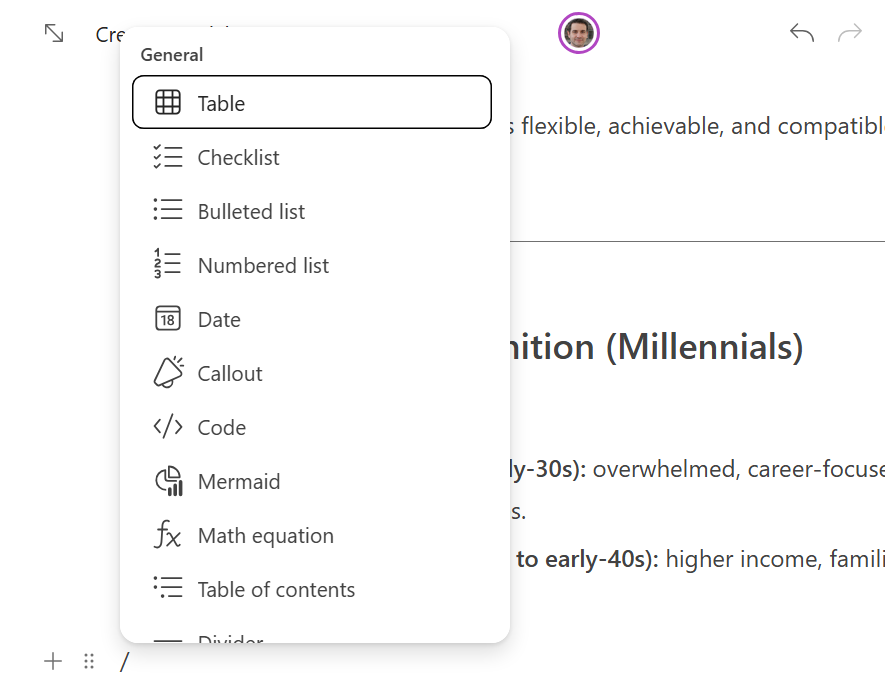
- The Slash Menu: Typing a forward slash (/) brings up an advanced insertion menu, allowing for the rapid addition of tables, checklists, dates, and callout boxes. This mirrors the functionality found in other modern documentation tools, ensuring a low learning curve.
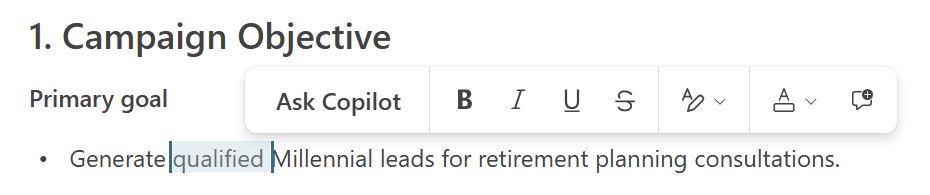
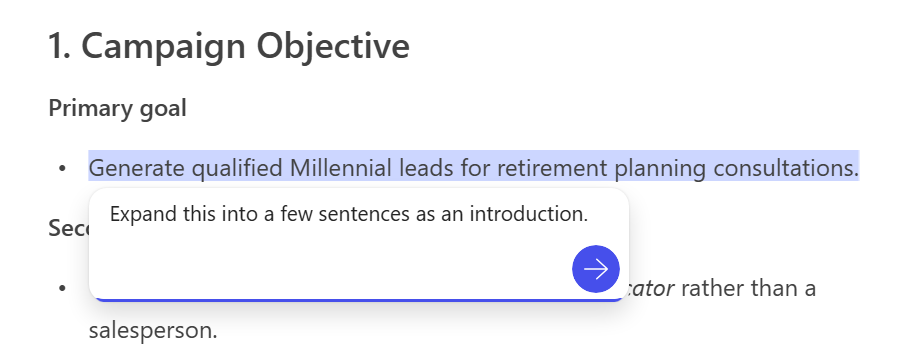
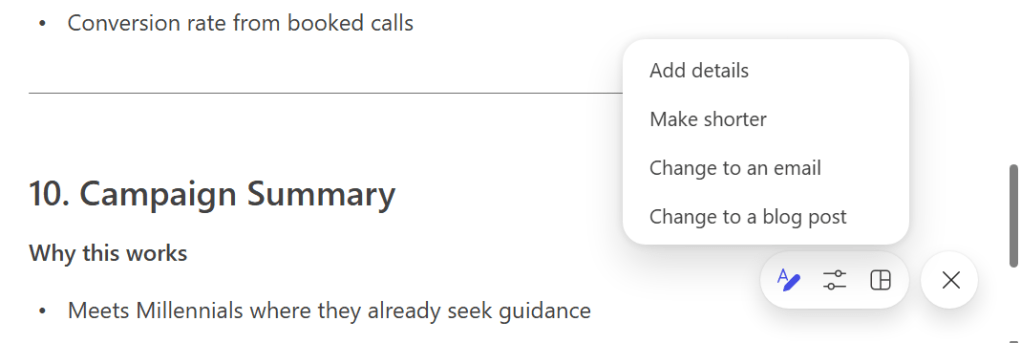
- Refinement: If a paragraph requires a change in tone or length, users can highlight the text and select "Ask Copilot." This opens a sub-window that allows the user to issue specific instructions (e.g., "Make this more concise" or "Change this into a professional summary").
Collaboration and Official Perspectives
Microsoft’s philosophy behind Pages is rooted in "multiplayer" document creation. The ability to invite colleagues to a Page via a shareable link—complete with permission controls—mirrors the collaboration features of OneDrive or SharePoint.
Collaborative Features
- Tagging: Using the @-mention syntax, users can assign specific sections to team members, triggering email notifications.
- Commenting: Similar to Word or Google Docs, users can leave comments on specific components, facilitating a conversation around the AI’s output rather than the document as a whole.
- Security: Administrators can set granular permissions, including expiration dates and passwords, ensuring that while collaboration is encouraged, document security remains intact.
Microsoft has emphasized that the goal of Pages is to reduce the "context switching" that plagues the modern digital worker. By keeping the chat and the document in the same view, they argue that the quality of the final output improves because the user is no longer distracted by the need to navigate between windows.
Strategic Implications for the Enterprise
The introduction of Copilot Pages carries significant implications for business strategy:
1. Enhanced Productivity Through Integration
By removing the barrier between "generation" and "editing," Microsoft is effectively shrinking the time-to-completion for internal documents. Marketing plans, project outlines, and status reports that once took hours to draft can now be iterated upon in minutes within the Pages environment.
2. Standardizing AI Workflows
For IT departments, the standardization of how AI-generated content is handled is a major win. By providing a "safe" container (the Page) that integrates with existing M365 security, companies can encourage employees to use AI without fear of data leakage or unmanaged, disconnected document silos.
3. The Future of the "Living Document"
The ability to export Pages to Word or PDF ensures that the transition to traditional workflows is frictionless. However, the true value lies in the "living" nature of the Page. As organizations move toward more agile working environments, the static document is increasingly becoming a legacy artifact. Copilot Pages positions the AI as a permanent member of the project team, always available to refine, summarize, or expand upon the team’s work.
Conclusion
Microsoft Copilot Pages is more than just a UI update; it is a fundamental rethinking of how we interact with generative AI in a professional context. By acknowledging that AI-generated content is rarely perfect on the first try, Microsoft has provided a platform that facilitates the iterative process of human-AI collaboration.
As businesses continue to integrate AI into their daily operations, tools that reduce friction and promote seamless collaboration will inevitably win out. With Pages, Microsoft has created a powerful, accessible, and deeply integrated environment that allows teams to stop fighting with their tools and start focusing on the output. Whether it is through smarter editing, better collaboration, or tighter integration with the Microsoft 365 suite, Pages stands as a testament to the future of work—one where the AI is not just a chatbot, but a collaborator in the document creation process.