




























































In the contemporary digital landscape, the concept of a "phone number" has undergone a radical transformation. No longer tethered to a physical SIM card or a single piece of hardware, the modern professional’s point of contact is increasingly fluid. Enter Google Voice—a service that, despite its longevity, remains one of the most misunderstood and underutilized tools in the Google Workspace ecosystem.
While many users confuse it with legacy chat services or basic VoIP (Voice over IP) apps, Google Voice is, in essence, a sophisticated, cloud-based communications hub. It decouples your identity from your hardware, allowing you to manage professional communications with a level of agility that traditional carriers simply cannot match. This article explores the mechanics, strategic implementation, and enterprise-grade implications of adopting Google Voice in 2026.
The Core Concept: Decoupling Identity from Hardware
To understand the power of Google Voice, one must first abandon the traditional view of a phone number as a permanent resident of a specific smartphone. In the Google Voice architecture, your number exists entirely within the cloud.
When you assign a number to your Google account, you are effectively creating a "virtual switchboard." This switchboard allows you to route incoming calls, SMS, and voicemails to any device—or combination of devices—that you choose. Whether you are using a desk-bound computer, an office landline, or a personal mobile phone, the Google Voice server acts as the intermediary.

This architecture provides several immediate benefits for the modern professional:
- Device Independence: Your number is not "in" your phone; it is "on" your account. You can log out of one device and into another, and your accessibility remains constant.
- Unified Communication: By centralizing calls, texts, and voicemails, you create a single source of truth for your business interactions.
- Carrier Agility: You are no longer locked into a specific cellular provider’s feature set or limitations.
Getting Started: A Step-by-Step Implementation
Setting up Google Voice is a straightforward process, though it requires a clear strategy depending on whether you are using a personal account or an enterprise Workspace environment.
1. The Initial Configuration
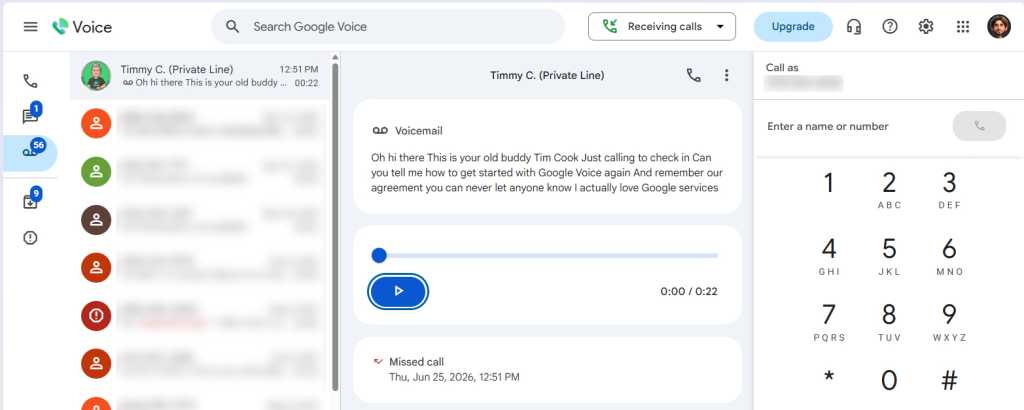
The most effective way to begin is via a desktop browser. By navigating to voice.google.com, you can claim a new number or port an existing one. For individuals, this process is seamless, with options ranging from free tiers to a $20/month subscription for advanced features.
For businesses, the process is governed by the Google Workspace Administrator. With availability now spanning the US, Canada, and much of Western Europe, administrators can assign numbers at scale. Pricing for these enterprise tiers ranges from $10 to $30 per user per month, depending on the required level of reporting and call-handling sophistication.
2. Linking Your Devices
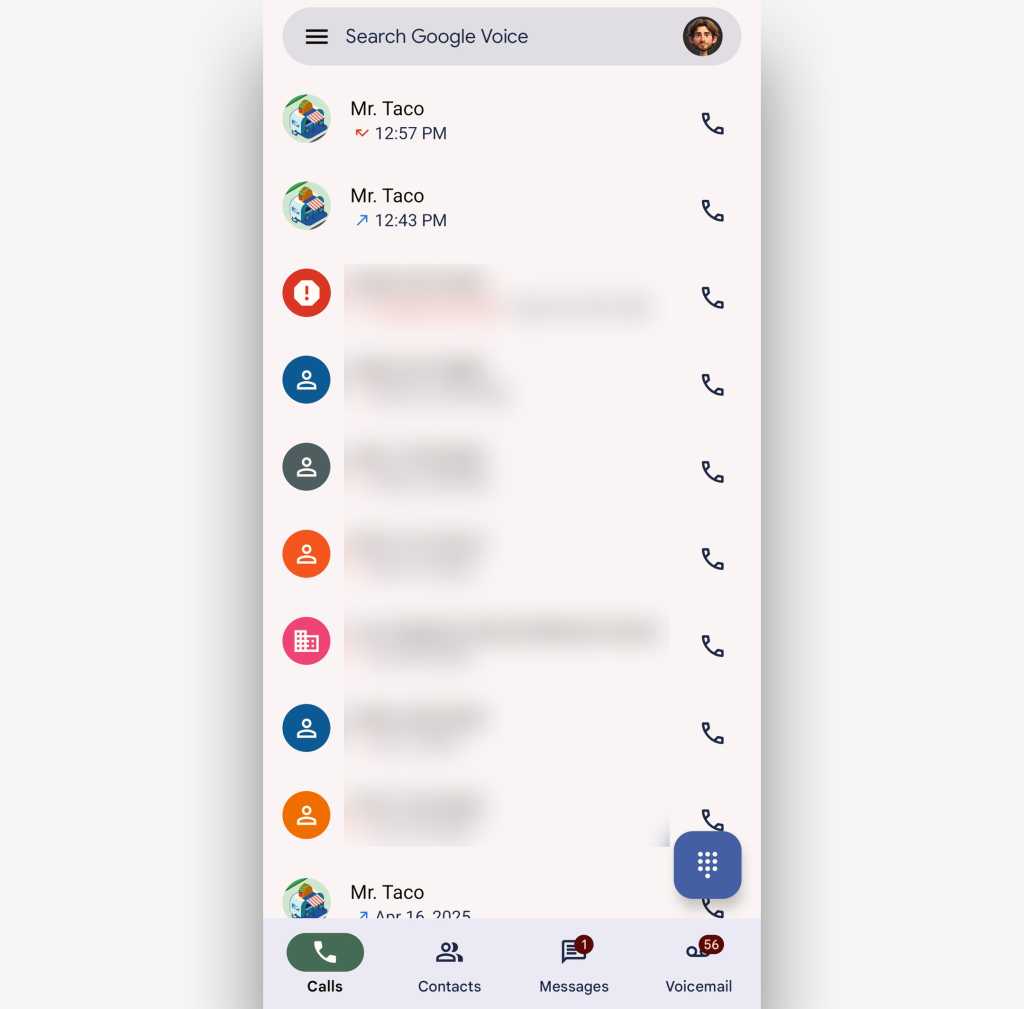
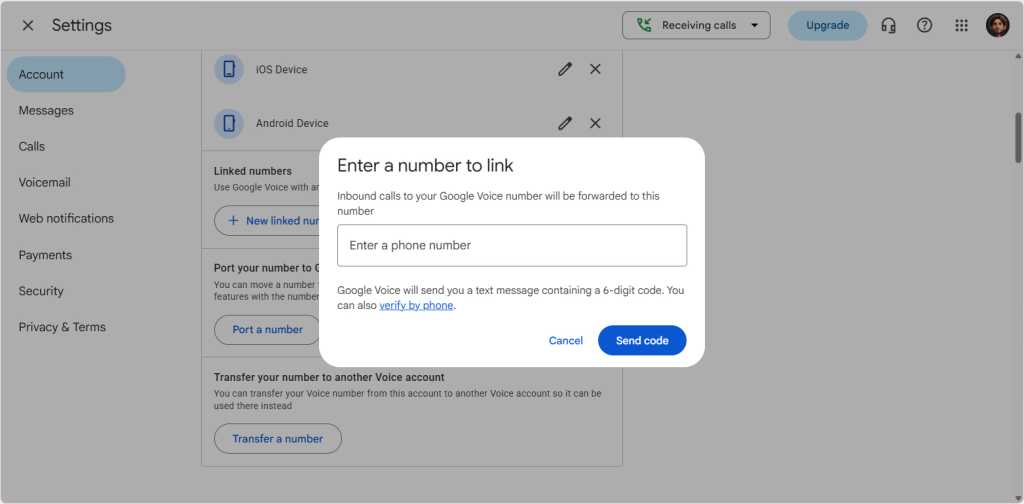
Once the number is established, the mobile experience is vital. Whether on Android or iOS, the Google Voice app acts as the primary interface.
- Linking: You can link your existing carrier number to Google Voice. This allows you to "mask" your personal number, ensuring that when you make a business call, the recipient sees your professional Google Voice number rather than your private cellular digits.
- Data-Only Mode: For those working from home or in offices with robust Wi-Fi, you can configure the app to operate entirely over data, bypassing cellular voice minutes and relying on high-definition VoIP quality.
Mastering the Dashboard: Advanced Call Routing and Filters
The true "power" of Google Voice lies in its backend settings, which resemble the granular control offered by Gmail filters.
Contextual Call Forwarding
Under the "Calls" section in the desktop settings, users can create "Rules." This is arguably the most powerful feature for busy professionals. You can establish specific instructions for:
- Specific Callers: Ensure that calls from key clients are automatically forwarded to your personal phone, while general inquiries are sent directly to voicemail.
- Time-Based Logic: Set your professional number to ring your desk phone during business hours and shift to your mobile device or "Do Not Disturb" mode after 6:00 PM.
Spam Protection and Screening
In an era of rampant robocalls, Google’s AI-driven spam filtering is a significant value-add. By enabling the "Filter spam calls and texts" option, you leverage Google’s massive, real-time database of known malicious actors. Furthermore, the call screening feature forces unknown callers to state their names before you accept the call, providing a crucial barrier against unwanted solicitations.
Enterprise Implications: Why Businesses are Migrating
For organizations, the shift to Google Voice is less about convenience and more about administrative control and data security.
Centralized Management
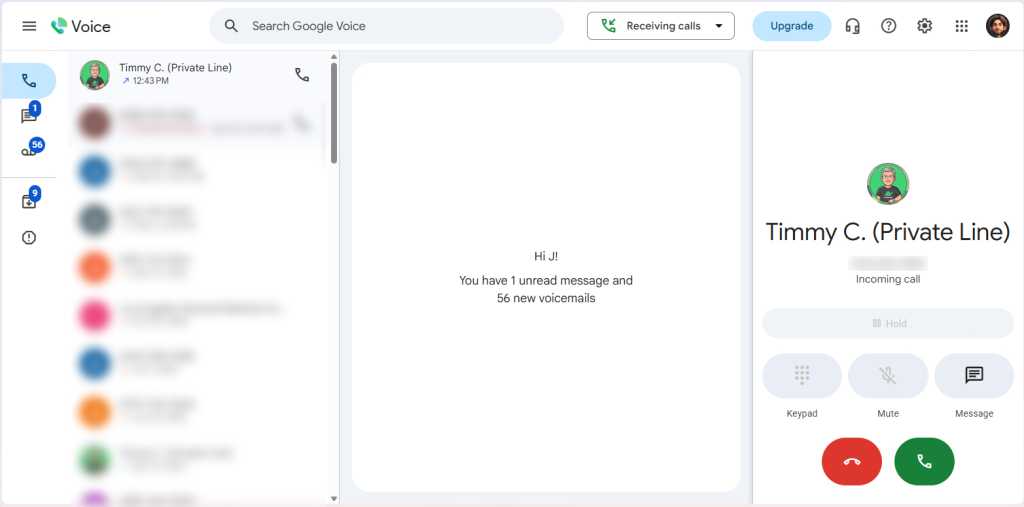
Google Workspace administrators gain the ability to deploy phone numbers to entire departments simultaneously. They can manage user permissions, monitor usage metrics, and ensure that communication remains within the company’s ecosystem.
Ring Groups and Auto-Attendants
For growing teams, the "Standard" and "Premier" plans offer enterprise-grade telephony:
- Auto-Attendants: Create a professional "press 1 for sales, press 2 for support" menu without the need for an expensive, legacy PBX (Private Branch Exchange) system.
- Ring Groups: This allows multiple employees to share a single line. When a customer calls, the system can distribute the call simultaneously or sequentially across the team, ensuring that no lead goes unanswered.
- Automated Transcription: At the Premier level, the system provides automatic call recording and transcription, which is essential for compliance, quality assurance, and training purposes.
Supporting Data and Technical Considerations
The transition to a cloud-based phone system is supported by the increasing reliability of high-speed mobile data. According to recent industry benchmarks, voice-over-data (VoIP) quality now exceeds traditional circuit-switched cellular calls in terms of clarity and latency when operating on 5G or stable Wi-Fi connections.
However, users should be mindful of the following:
- Latency: When using Wi-Fi, the quality is dependent on your network’s jitter and latency. Using a wired ethernet connection for desktop-based calls is recommended for high-stakes business meetings.
- Notification Management: As you link more devices, the "simultaneous ring" feature can become overwhelming. It is critical to configure notification settings on each device individually to ensure you aren’t interrupted by your tablet, laptop, and phone all ringing in unison.
- Security: Because your entire professional communication history is tied to your Google account, it is imperative to enforce Two-Factor Authentication (2FA) on your Google account. A compromised Google account could lead to a compromise of your business identity.
Official Stance and Future Evolution
Google has consistently signaled that Voice is a cornerstone of its "Unified Communications" strategy for Workspace. By integrating Voice with Meet, Chat, and Gmail, the company is aiming to reduce "context switching"—the productivity-killing act of jumping between different apps to manage a single workflow.
As of the latest updates in mid-2026, Google has emphasized the integration of Gemini AI to help summarize lengthy voicemails and provide actionable bullet points based on the transcriptions of recorded calls. This shift indicates that Google intends to move Voice from a simple "routing" service to an "intelligence" service.
Final Implications for the Professional
Adopting Google Voice is a strategic move for any professional looking to reclaim their time and streamline their digital presence. By moving your phone number into the cloud, you are effectively future-proofing your business communication.
Whether you are a solopreneur needing a professional boundary between work and home, or an IT administrator managing a global workforce, the platform offers the flexibility to scale. It requires an initial investment of time—configuring rules, testing device behavior, and educating your team—but the long-term payoff in productivity and professional polish is undeniable.
In a world where accessibility is often mistaken for availability, Google Voice provides the tools to be reachable on your own terms. It is not just a phone service; it is a management system for your professional identity.