















































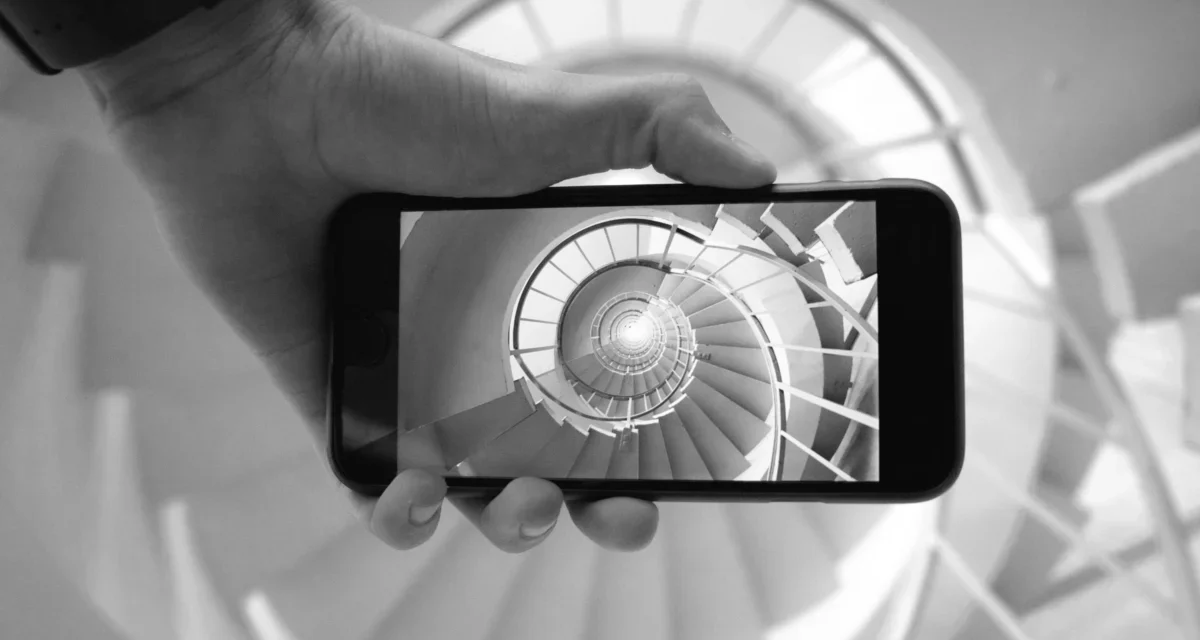






For the modern traveler, the post-trip "digital hangover" is a familiar ailment. You return home with a camera roll bloated by thousands of images—blurry bursts, redundant sunsets, and accidental pocket shots—only to let them languish in the cloud, forgotten and unorganized.
However, professional travelers have long understood that the most efficient time to manage your digital legacy isn’t when you are back at your desk, but while you are suspended at 30,000 feet. The flight home serves as the perfect, distraction-free environment to transform a chaotic collection of files into a curated narrative. By implementing a systematic routine during the journey, you ensure that your travel memories remain accessible, organized, and preserved for the long haul.
The Strategic Advantage of In-Flight Processing
The cabin of an airplane is one of the few places in our hyper-connected world where we are truly "off the grid." Without the temptation of social media notifications or the interruptions of daily domestic life, the flight home provides a focused window of time.
For many professional photographers and travel writers, this time is the "golden hour" of productivity. The trip remains fresh in the mind—the specific names of Indigenous animals, the flavor profile of a local dish, or the exact geography of a beach. By capitalizing on this cognitive freshness, you bypass the common frustration of trying to recall details months after the fact.
1. The Art of the Cull: Efficiency Over Volume
The most critical step in photo management is the cull. Most casual photographers treat their storage like an attic—tossing everything inside in hopes that they will sort it later. Experience dictates that "later" rarely arrives.
The Methodology of Deletion
The first priority should be the aggressive removal of "digital noise." This involves a ruthless pass through your camera roll or memory card:
- Identify the Outliers: Delete the blurry frames, the accidental shots, and the "oops" photos that captured the inside of your lens cap or pocket.
- The Burst Problem: If you captured a burst of ten shots of the same subject, select the single best image and delete the remaining nine.
- Quality Control: Remove photos marred by distracting elements—a tourist blocking a monument, a strange shadow, or poor lighting.
By performing this "first pass" while the trip is still vivid, you are more likely to be objective. A generous first pass, where you keep anything that is a "maybe," still results in a roughly 50% reduction in total file count, significantly easing the burden on your storage devices.

2. Chronological and Thematic Organization
Once the junk has been purged, the survivors must be organized. A disorganized folder of 2,000 images is functionally useless.
Structuring Your Digital Archive
Professional organizers recommend a dual-layer approach: Location and Time.
- Unified Storage: Combine images from your smartphone, your DSLR, and any secondary action cameras into a single, centralized workspace. Using a memory card reader for your laptop during the flight makes this seamless.
- Naming Conventions: Label your albums using a consistent, searchable format, such as
[Destination]_[Month]_[Year]. For example, "Oaxaca_March_2024." - The "Star" System: Most photo management software allows you to "favorite" or "star" images. By marking your top 10–20% of photos, you create a "greatest hits" collection that is easily retrievable for future social media posts or printed albums.
3. Metadata as a Memory Anchor
While many users rely on automated facial recognition or location tagging, manual annotation—or "captioning"—remains the gold standard for long-term accessibility.
The Power of Searchable File Names
Google Photos and other cloud-based services utilize advanced AI to scan images, but they cannot interpret context. If you name your files with descriptive text—such as "Berner Alpkäse, Switzerland"—the file becomes instantly searchable.
Even simple, repetitive naming conventions, such as "Elephants_in_Samburu_01.jpg," provide structure. The goal is to ensure that years from now, when the specific names of people or places have faded from your memory, a simple keyword search can retrieve the exact image you need. This process, while seemingly tedious, is the single most effective way to prevent your photos from disappearing into the digital ether.
4. Redundancy: The "Back It Up" Protocol
The most common mistake amateur travelers make is relying on a single storage point—the phone itself. In the event of a lost device or a corrupted memory card, the loss is total.
The Professional Hardware Stack
A professional traveler’s workflow is incomplete without a robust backup plan.
- The Portable Drive: Carry a dedicated portable SSD or hard drive in your carry-on luggage.
- The Workflow: Once your photos are sorted and labeled on your laptop, the final step is a drag-and-drop copy to the external drive.
- Timing: Large RAW image files can take significant time to transfer. Utilizing the idle hours of a flight—often during the period between meal services—is the ideal time to let your computer churn through these large data transfers without impacting your ability to use the device for other tasks.
5. Implications: The Value of the Finished Product
What happens when you have leftover time on the flight? This is where the creative work begins.
The Psychological Impact of Curation
By the time the plane touches down, you should ideally have a library that is culled, organized, labeled, and backed up. If you find yourself with extra time, use it for "creative processing"—doing light edits on your favorite images.
There is a psychological reward in landing with a finished product. Instead of returning home to a "to-do" list of digital chores, you return with an archive that is ready to share. Furthermore, the act of curation itself changes how you view your travels. It transforms the trip from a series of fleeting moments into a cohesive narrative, allowing you to reflect on the experience rather than merely documenting it.
Supporting Data: Why Organization Matters
Industry studies on digital hoarding indicate that the average smartphone user holds onto thousands of duplicate or unnecessary photos, leading to "digital clutter stress." This clutter makes it harder to locate meaningful memories, effectively rendering the original effort of taking the photos moot.
By dedicating just two to three hours on a long-haul flight, travelers can:
- Reclaim Storage: Free up gigabytes of space on their devices.
- Enhance Accessibility: Make memories instantly retrievable via search functions.
- Ensure Preservation: Create a secure, redundant copy of their personal history.
Final Reflections
In an era where we capture more images than any generation in human history, the act of organizing them has become a form of preservation. By adopting the habits of the professional traveler—culling, sorting, labeling, and backing up—you do more than just clean up a camera roll. You ensure that your travels remain a vibrant, accessible part of your life, long after the flight has landed and the memories have begun to settle.
Whether you are a professional photographer or a casual tourist, the flight home is your best opportunity to turn a disorganized mass of pixels into a lasting digital legacy. Treat your flight as a studio, your memory cards as a canvas, and your time as the ultimate tool for capturing the essence of your journey.