
















































In the evolving landscape of digital productivity, simplicity often triumphs over complexity. While professional designers may rely on industry-standard suites like Adobe Creative Cloud, the average professional requires speed, integration, and the ability to iterate without breaking their workflow. Recognizing this, Google has quietly introduced "Google Pics"—a potent, AI-driven image editing and creation tool integrated directly into the Workspace ecosystem.
Despite its somewhat confusing nomenclature—which risks being conflated with Google Photos or Google Images—Google Pics represents a significant leap forward for document and presentation workflows. By embedding high-level generative AI directly into the fabric of Google Docs and Slides, Google is attempting to eliminate the "context switching" that plagues modern office work.

Main Facts: What is Google Pics?
Google Pics is not a standalone app in the traditional sense; it is a sophisticated, AI-powered graphic engine designed to operate within the Google Drive ecosystem. Unlike typical third-party integrations that require cumbersome file exports and imports, Pics lives natively within the documents you are already editing.
The tool serves two distinct purposes:
- In-Line Image Editing: Using AI to modify existing assets within Docs and Slides.
- Standalone Image Generation: A browser-based interface (
pics.new) that allows for collaborative, high-fidelity AI image creation.
Access to this feature is currently gated. It is available exclusively to individual Google users with a "Google AI Pro" or "Ultra" subscription, as well as enterprise customers on "Business Standard," "Business Plus," "Enterprise Standard," or "Enterprise Plus" tiers. This tiered approach indicates that Google is positioning Pics as a premium productivity accelerator rather than a mass-market consumer feature.
A Chronology of Integration
The rollout of Google Pics is part of a broader, multi-year strategy to infuse Gemini AI into every corner of the Workspace suite.
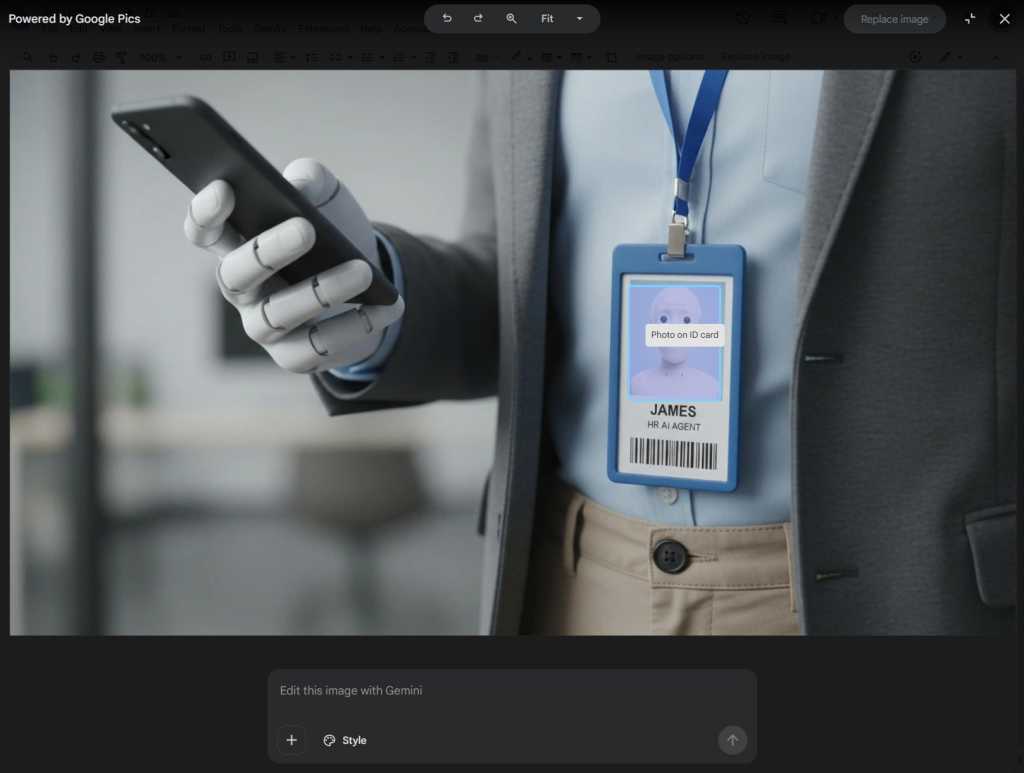
- Phase 1: The Integration Layer: Initially, Google focused on integrating AI into the "Insert" menus of Docs and Slides. While functional, these tools often felt like detached side panels—Gemini chatbots that provided images but lacked granular control over existing visual assets.
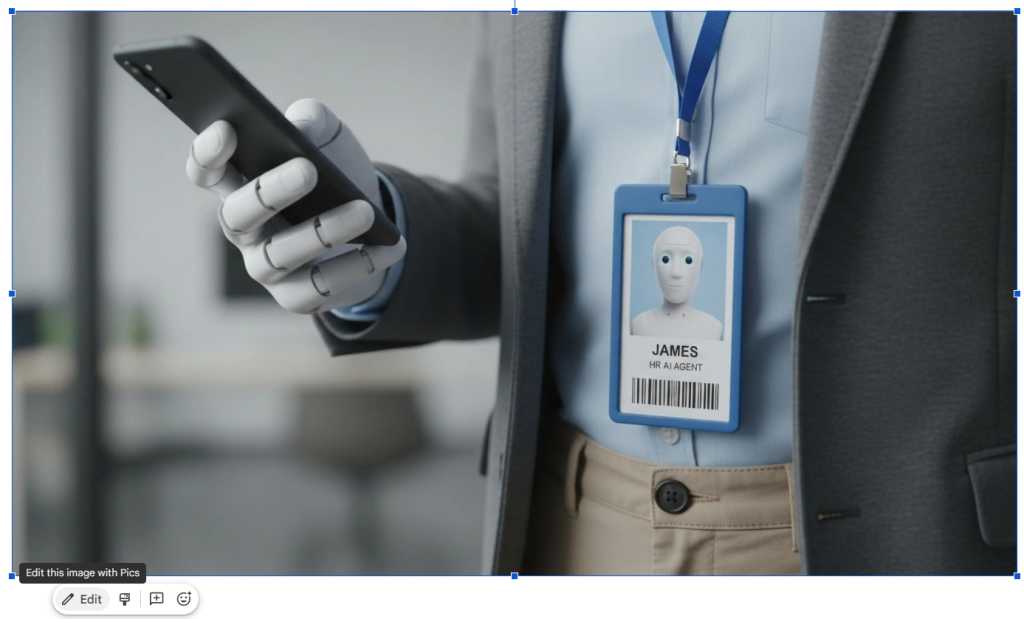
- Phase 2: The "Edit" Button: The turning point occurred with the introduction of the contextual "Edit" button beneath images. By moving the AI capability from a general sidebar to a specific object-based control, Google effectively transformed every image in a document into a dynamic canvas.
- Phase 3: The Standalone Portal: The launch of
pics.newmarked the final step, creating a dedicated space for users to generate and iterate on images before bringing them into a project.
Google has stated that the rollout is ongoing. As of this writing, users who do not see the "Edit this image with Pics" prompt should expect the feature to appear in their accounts in the coming weeks.
The Mechanics: How to Leverage Pics for Editing
To begin editing within a document, simply click an image in Docs or Slides. A mini-toolbar will appear; click "Edit," and the interface will transition to the Pics environment. The system will then perform an automated analysis, identifying individual elements within the image.
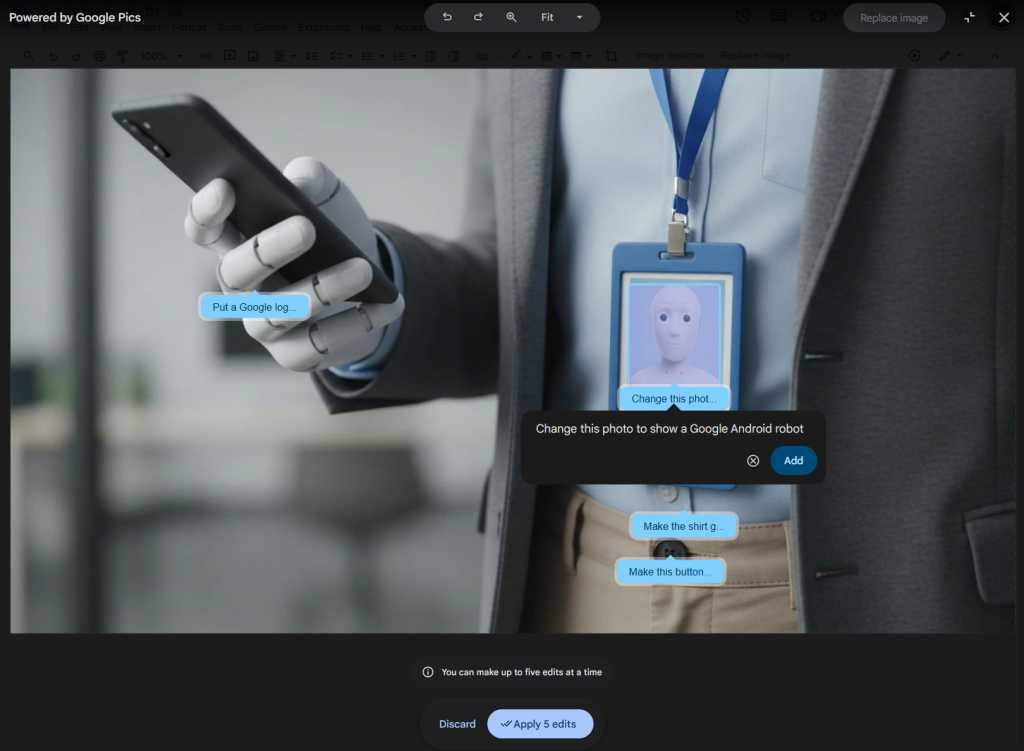
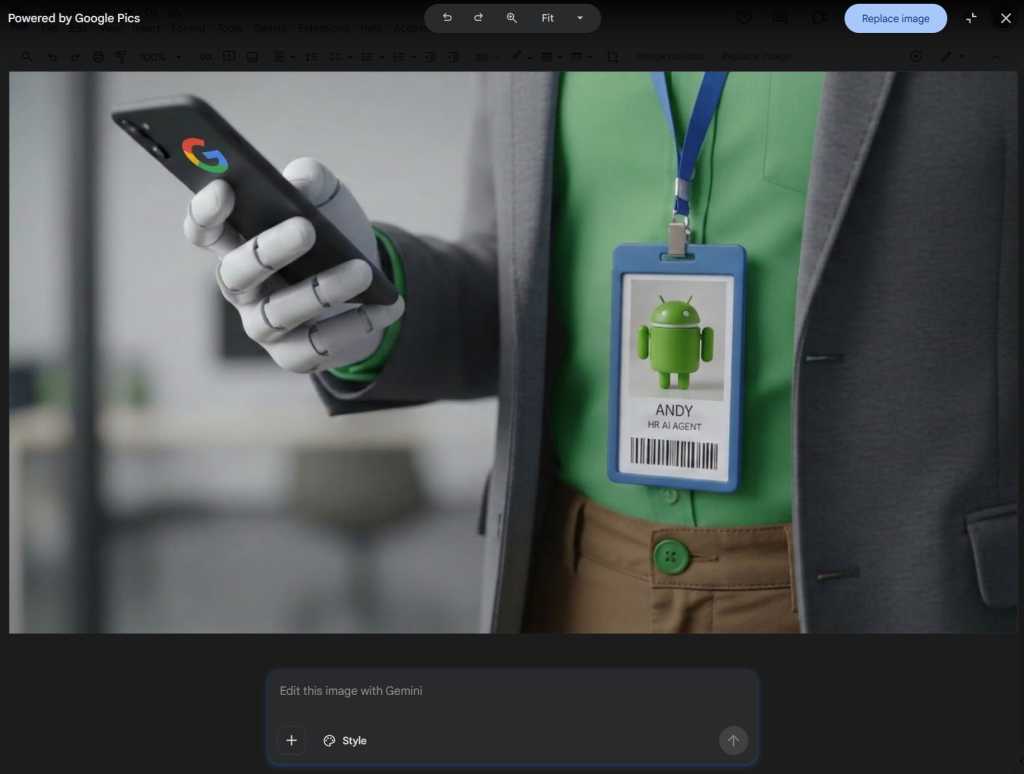
The power of this tool lies in its plain-English processing. A user can click a specific element—such as a person’s shirt, a background sky, or a specific piece of text—and issue a command. For instance, you could instruct the tool: "Change the color of the shirt to navy blue," "Make the background more professional/blurred," or "Translate the embedded text into Spanish."
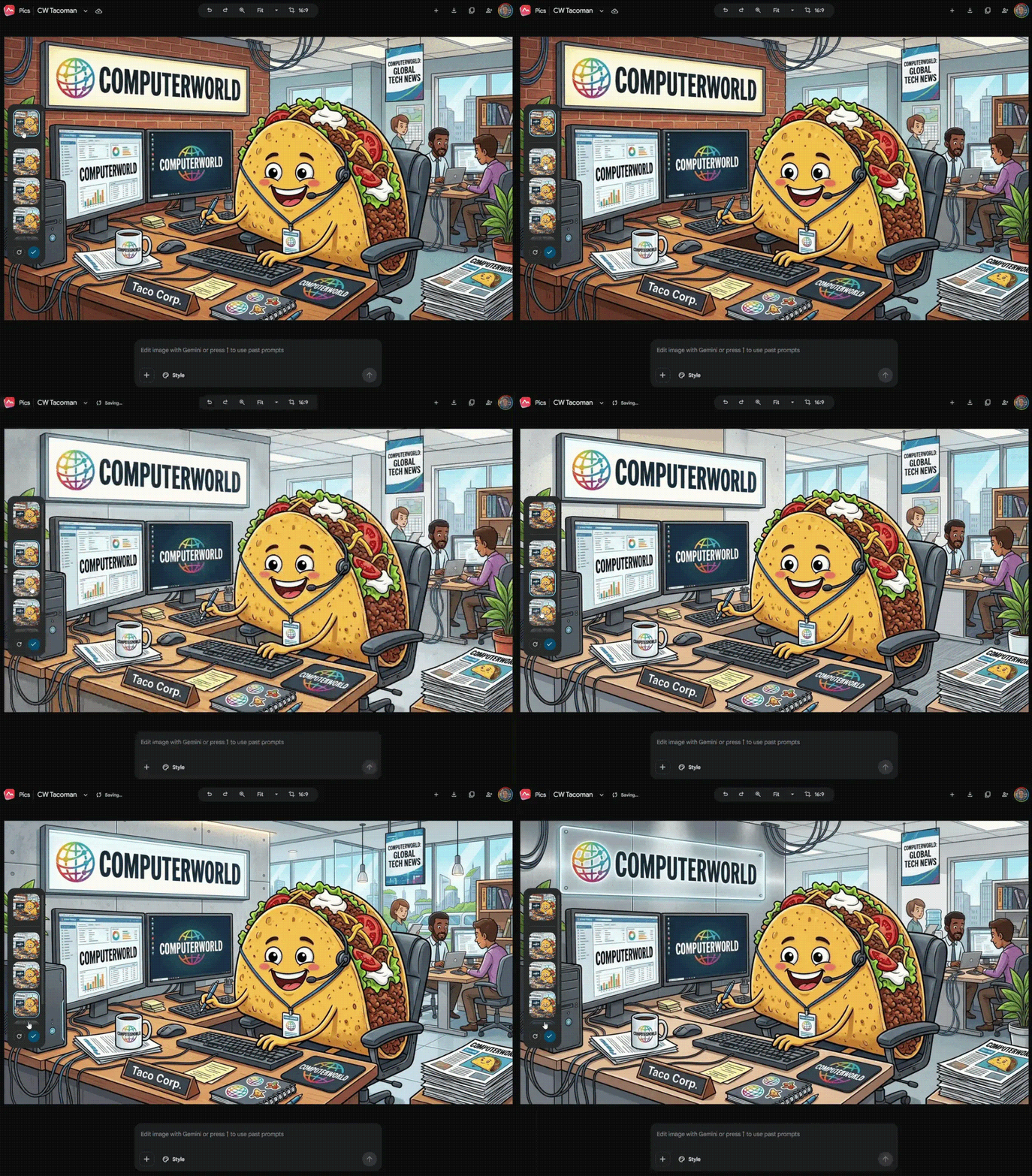
Critically, the editor allows for batch processing. You can queue up to five distinct instructions at once. The AI then processes these requests simultaneously, offering a significant time saving compared to editing layers in traditional software. If the process takes longer than a few seconds, the user can hit "Esc" or minimize the window, receiving a notification once the final asset is rendered and ready to replace the original.
Supporting Data: Collaboration and Versioning
One of the most under-discussed aspects of Google Pics is its adherence to the collaborative philosophy that made Google Docs a global standard.
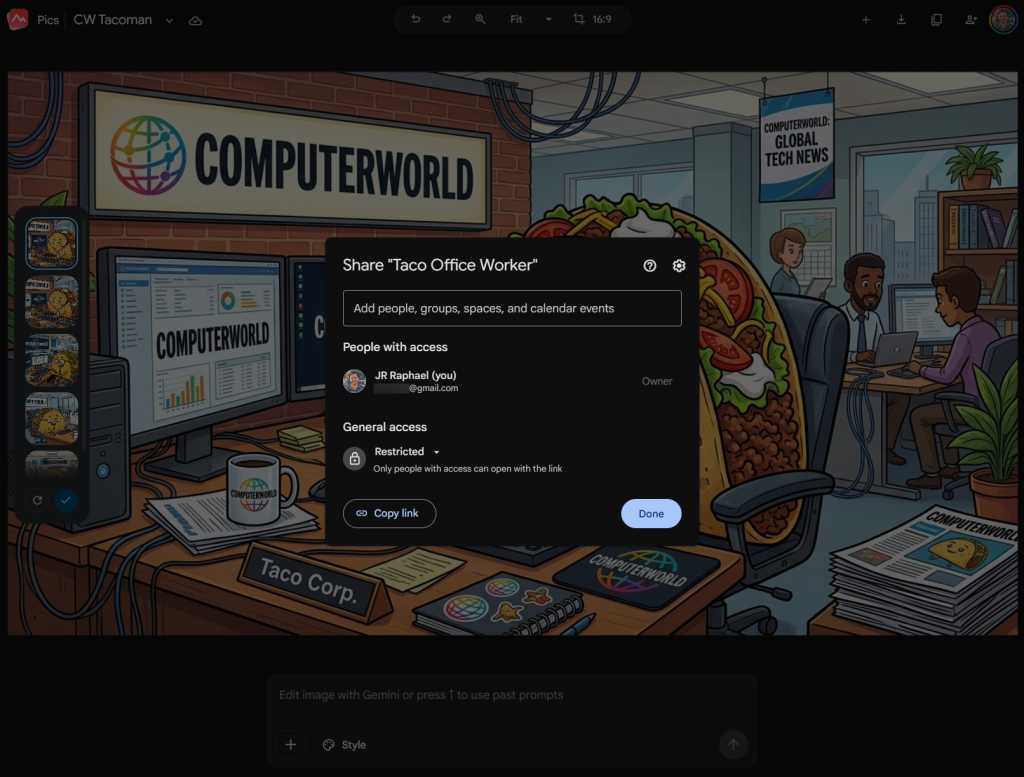
In the standalone pics.new interface, users can invite colleagues to collaborate in real-time. By clicking the sharing icon or using the shortcut Ctrl-Alt-Shift-S, users can co-edit an image. While only users with active Pics access can modify the image, the real-time visibility allows for instant feedback loops, significantly reducing the "email-back-and-forth" cycle of design approvals.
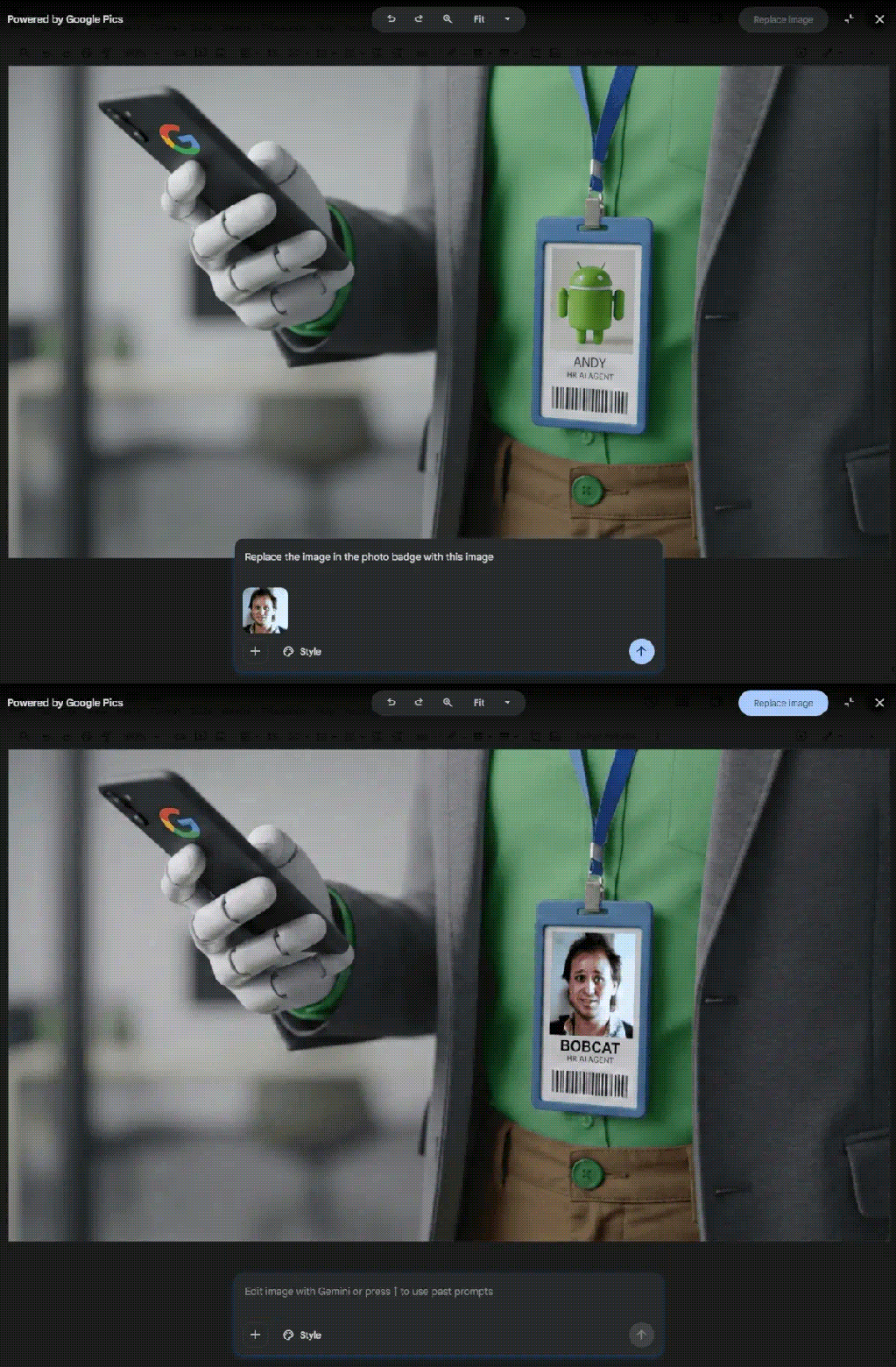
Furthermore, the inclusion of "Version History"—accessed via a caret icon near the image name—mirrors the robust tracking seen in Google Sheets. This provides a safety net for users, allowing them to revert to previous iterations if an AI generation goes astray. This feature is essential for corporate environments where brand consistency and the ability to audit changes are paramount.
Official Responses and Strategic Implications
Google’s strategy with Pics reflects a broader shift in the software industry: moving from "tool-centric" design to "intent-centric" design.
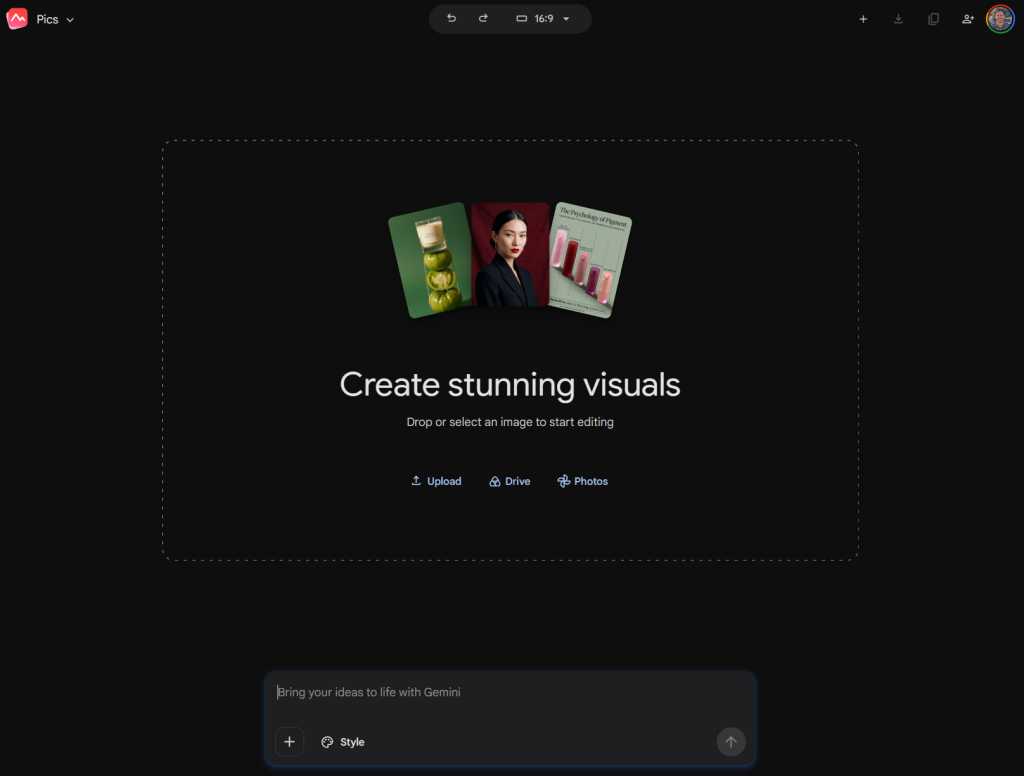
In discussions regarding the tool, Google representatives have emphasized that the objective is not to replace professional design software, but to augment the capability of non-designers. By keeping the tool within the browser, Google ensures that file management is handled automatically in Drive.
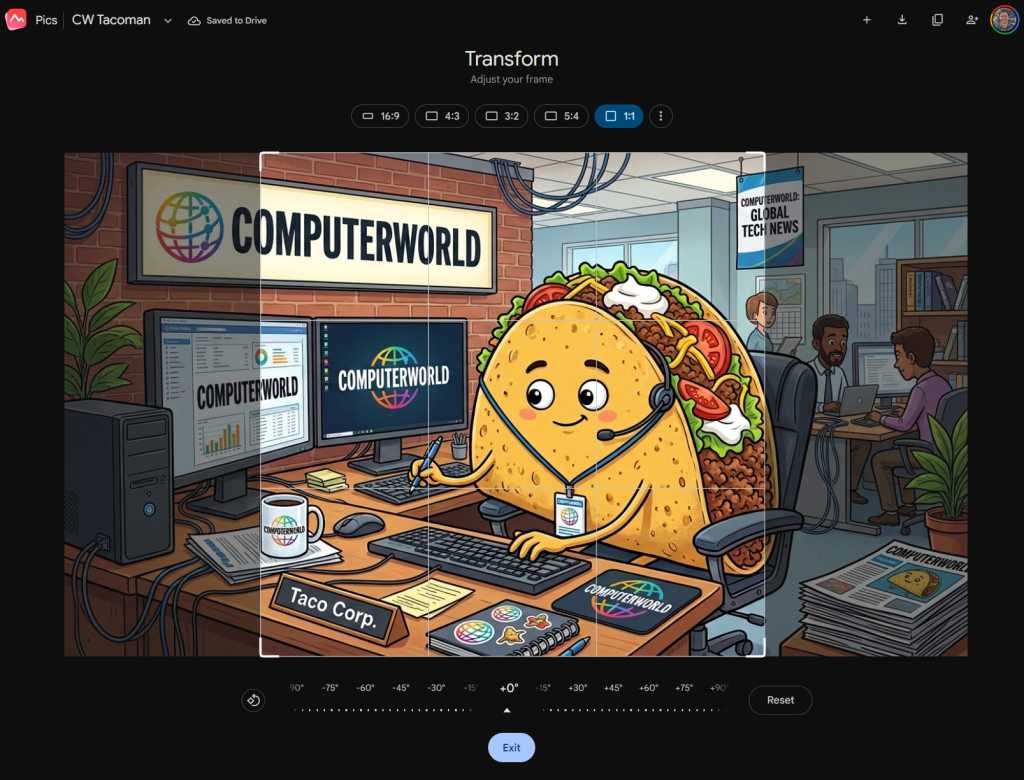
However, there are notable limitations. For example, the cropping tool within the standalone Pics interface is currently primitive. It handles cropping by adjusting the frame of the existing image rather than re-rendering the composition to fit new dimensions, which can lead to distorted or awkward final products. Furthermore, the confusion between the "Generate Image" Gemini side panel and the actual Google Pics interface suggests that Google still faces challenges in unifying its branding and feature sets.
Implications for the Future of Work
The rise of Google Pics carries profound implications for enterprise efficiency.
- Democratization of Design: By allowing users to edit images via text prompts, the barrier to entry for creating high-quality visual content has been lowered. Administrative staff, project managers, and students can now produce polished visuals without needing a background in Photoshop.
- The Death of "Static" Assets: With tools like Pics, an image in a presentation is no longer a static file. It is a data-driven object that can be refined, updated, or localized in seconds. This suggests that future documents will be far more dynamic and personalized.
- The "Docs-First" Workflow: By providing a URL like
docs.google.com/imagesto aggregate all created assets, Google is attempting to make the Drive ecosystem the central hub for all visual creation. This creates a "walled garden" effect, keeping users within the Google ecosystem rather than exporting files to external image editors.
Conclusion: A Tool Worth Mastering
Google Pics is a testament to the current era of generative AI: it is surprisingly powerful, occasionally confusing, and undeniably efficient. For the average professional, the ability to modify an image without leaving their browser is a game-changer.
While the branding confusion between Google Photos, Google Images, and Google Pics is a hurdle the company must address, the underlying technology is robust. By mastering the prompt-based editing and the collaborative features of the standalone interface, users can drastically reduce the time spent on visual polish, allowing them to focus on what truly matters: the content of their work. As the tool continues to evolve, it is likely to become an indispensable component of the modern digital workplace.