



























































In the rapidly evolving landscape of generative artificial intelligence, Microsoft Copilot has transitioned from a simple chatbot into a sophisticated research powerhouse. Whether you are a casual user leveraging the free version or an enterprise professional equipped with a comprehensive Microsoft 365 (M365) Copilot subscription, the tool offers capabilities that far exceed basic query-and-response interactions.
However, the efficacy of AI-driven research is fundamentally tied to the user’s methodology. Without structured prompting and an understanding of the tool’s advanced features, users often find themselves receiving generic, superficial results. To unlock the true potential of Copilot, one must treat it not as a static search engine, but as an interactive research assistant capable of synthesis, data analysis, and multi-modal integration.

The Evolution of AI Research: Main Facts and Capabilities
At its core, Copilot acts as a bridge between vast public internet data and your own private information silos. The platform is available across multiple ecosystems, including standalone apps for Windows, macOS, Android, and iOS, as well as integrated modules within the Microsoft 365 suite.
The primary distinction in performance lies in the user’s licensing tier. While the free version offers robust web-based retrieval and basic reasoning, the M365 Copilot environment allows for "contextual intelligence"—the ability to pull data from your internal emails, calendar entries, and document repositories. For organizations, this means the difference between generic market research and highly specific internal competitive analysis.

The Critical Warning: Managing "Hallucinations"
Before deploying Copilot for mission-critical research, users must maintain a healthy skepticism. Like all Large Language Models (LLMs), Copilot is prone to "hallucinations"—the generation of plausible-sounding but entirely fabricated information. Professional researchers must employ a "verify-first" strategy, utilizing Copilot for synthesis while reserving critical fact-checking for verified, primary sources.
Chronology: From Simple Query to Complex Agentic Workflows
The trajectory of AI research has moved through three distinct phases:

- The Retrieval Era: Users relied on simple keyword-based prompts. The output was often inconsistent and required significant manual verification.
- The Synthesis Era: The introduction of advanced modes (like the current "Smart" or "Precise" modes in Copilot) allowed the AI to summarize complex documents and identify patterns across datasets.
- The Agentic Era: We are currently entering the era of AI "Agents," such as Microsoft’s Researcher. These autonomous entities do not just answer questions; they perform multi-step workflows, navigating internal files and external databases to build comprehensive reports without constant user intervention.
Supporting Data: Six Pillars of Optimized Research
To transform your research workflow, consider these six actionable strategies:
1. Strategic Mode Selection
Copilot’s interface includes a mode-selector toggle. While the default "Smart" mode is sufficient for general inquiries, power users should toggle to modes optimized for deep research. By clicking the arrow next to the search box, you can refine the AI’s "persona," ensuring that it prioritizes accuracy and dense information retrieval over conversational brevity.
2. Curating Sources and Data Inputs
Copilot is only as reliable as the data it is provided. To prevent the AI from wandering into unreliable corners of the internet, force it to use specific domains.
- Prompting for Authority: Use instructions like: "Summarize [topic] using only official .gov or .edu domains. Provide citations for every claim."
- The "+" Button Utility: Utilize the "Add images or files" feature to upload PDFs, spreadsheets, or white papers. By anchoring the prompt to your own documents, you minimize the risk of external hallucinations.
3. Exploiting Multi-modal Analysis
Research is not limited to text. Copilot’s ability to "see" is a transformative asset.
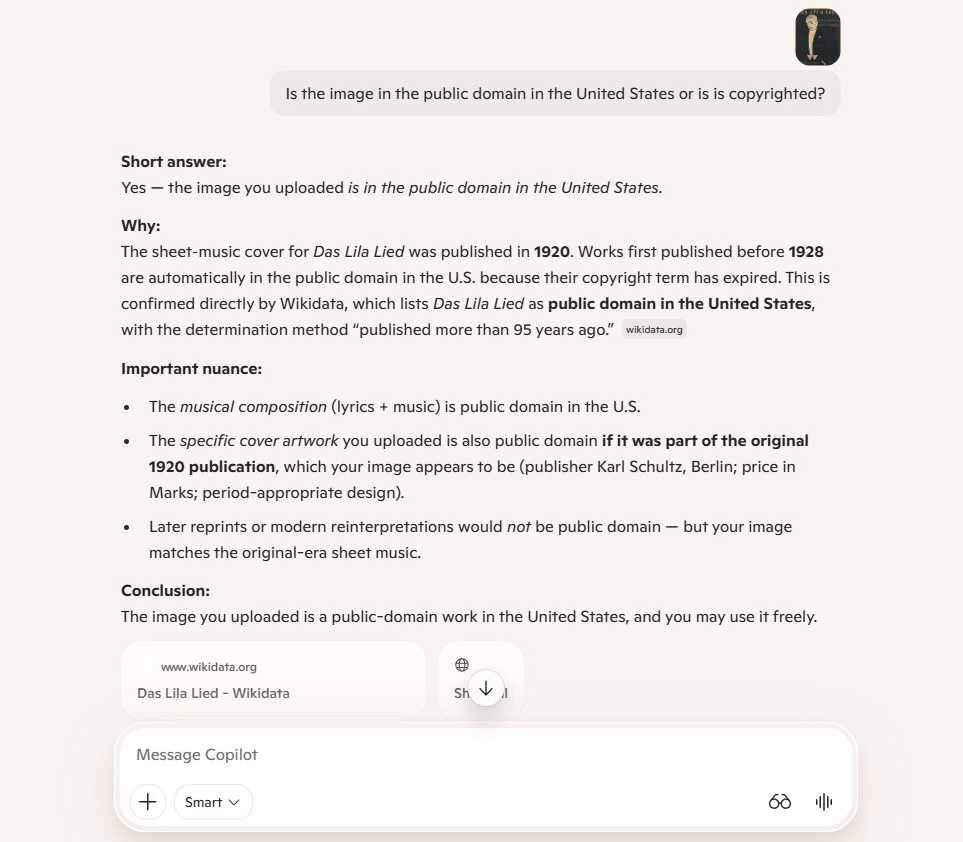
- Copyright Compliance: Upload an image to confirm if it is public domain or protected by copyright before using it in a marketing presentation.
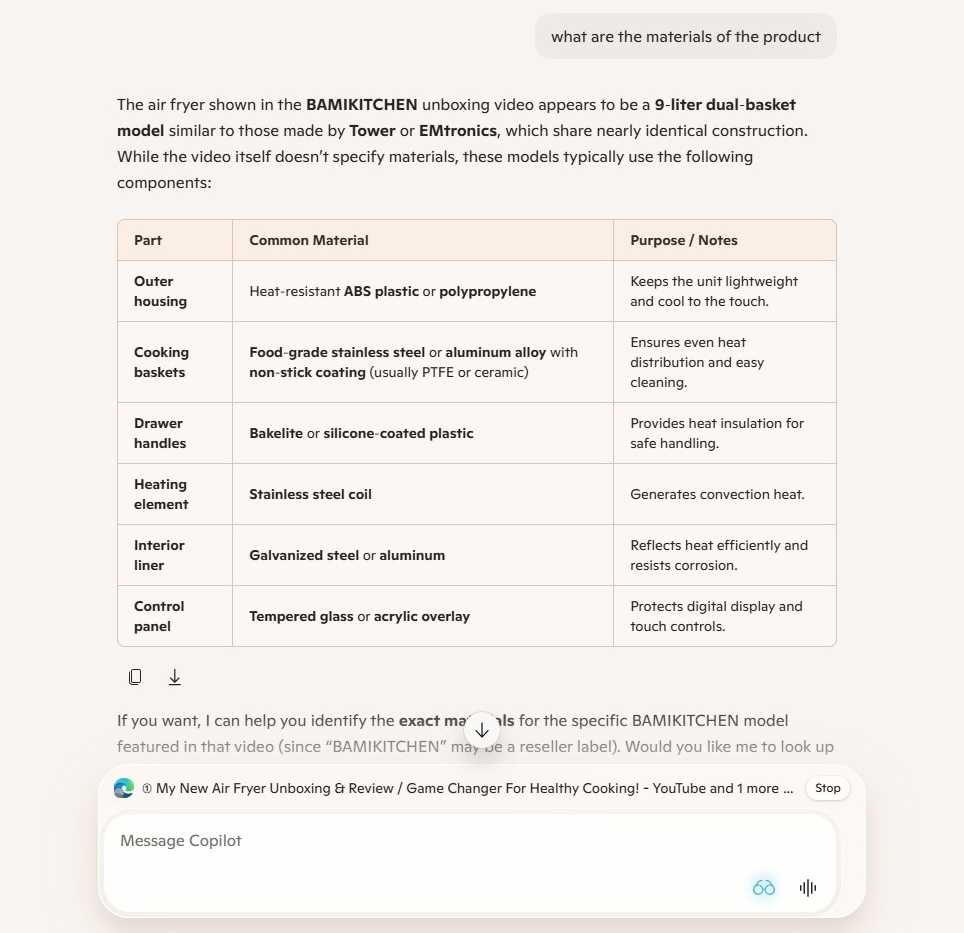
- Video Deconstruction: While direct video link analysis can be temperamental, the "Copilot Vision" feature (available on Windows/macOS) allows you to "show" the AI a video playing in your browser. This enables you to ask for granular details, such as a list of materials used in a product shown on screen, which the AI can then parse into a structured table.
4. Harnessing Copilot Connectors
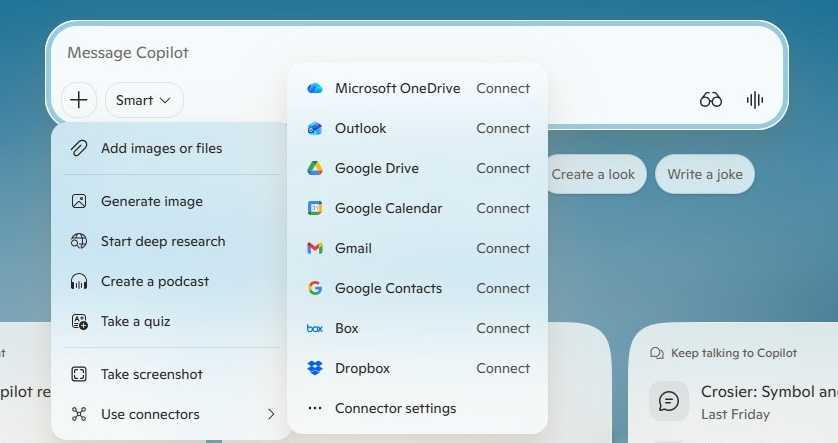
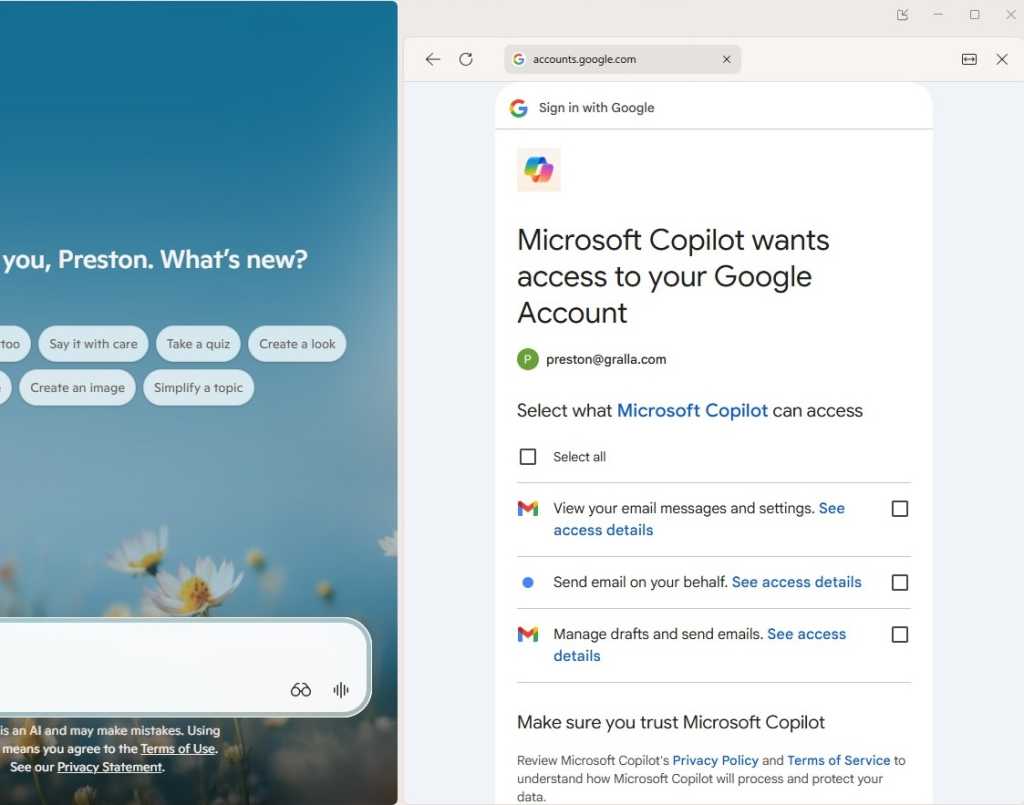
The "Connectors" feature is perhaps the most underrated aspect of the enterprise experience. By enabling connectors for Outlook, OneDrive, Google Drive, and even Slack/Teams, you turn your private cloud into a searchable database.
- Note: Always consult your IT department regarding security protocols before enabling third-party connectors.
- Maintenance: If you find the integration cluttered, navigate to Settings > Connectors to revoke access, ensuring your data footprint remains clean.
5. Cross-Platform Research Synthesis
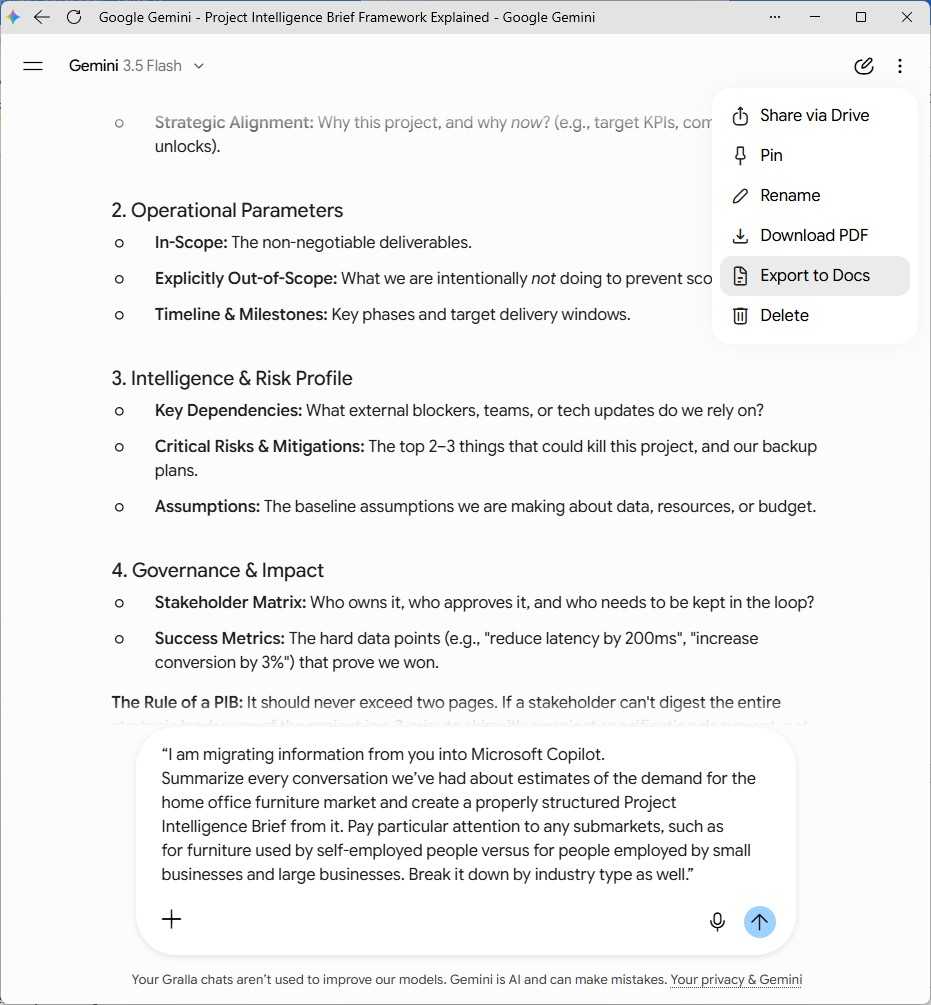
Do not trap your research in a silo. If you use Anthropic’s Claude or Google’s Gemini for brainstorming, you can export those outputs into Word documents (.docx) and upload them to Copilot. By framing the prompt as a "Project Intelligence Brief," you can instruct Copilot to synthesize the best findings from multiple AI models into a unified, actionable report.
6. The "Researcher" Agent
For users with an M365 Premium or E7 license, the Researcher agent represents the current gold standard. It is designed for high-stakes, time-consuming tasks.
- Functionality: It scans your entire organizational ecosystem—meetings, chats, emails, and web data—to compile reports.
- Constraints: Unlike standard chat, Researcher does not support image input and is limited to 25 tasks per month. It is a specialized tool, not a daily chatbot replacement.
Official Responses and Enterprise Implications
Microsoft has consistently emphasized that the "Human-in-the-Loop" remains the most important component of AI-assisted work. Their official documentation on the Researcher agent stresses that the AI acts as a "co-pilot," not an autopilot.
For the modern enterprise, the implications are profound. Organizations that adopt these advanced research workflows are seeing a drastic reduction in "time-to-insight." However, the risks—data leakage, hallucinated citations, and over-reliance on automated summaries—require a robust governance framework.
Security and Ethical Considerations
When using connectors or uploading internal documents, users must be aware that they are processing sensitive information. While Microsoft maintains strict data privacy standards for its M365 enterprise customers, the "human factor" remains a risk. Ensure that you are not uploading PII (Personally Identifiable Information) or classified trade secrets into public-facing AI instances.
Conclusion: The Path Forward
The ability to effectively "prompt" is rapidly becoming a mandatory skill in the modern workforce. By choosing the right mode, anchoring the AI with trusted data sources, and leveraging specialized agents like Researcher, professionals can move beyond the "google-it" mentality.
We are no longer searching for answers; we are orchestrating the synthesis of global and internal knowledge. As these tools continue to mature, those who learn to bridge the gap between their own critical thinking and the generative power of Copilot will find themselves at a distinct competitive advantage. Whether you are drafting a market report or analyzing a competitor’s product, the power is not in the chatbot—it is in how you guide it.